Sale is Live ! Get 10% extra off on Smart School & Smart Hospital use coupon code SAVE10P & 50% extra off on all add-ons use coupon code SAVE50P for more details contact Sales Support.
New v7Hospital ERP · Self-Hosted→
Every department, one patient record
The all-in-one hospital ERP: OPD, IPD, appointments, billing, pharmacy, labs, blood bank, staff and a patient portal. One-time licence on your own server.
Every step from buying a licence to a normal working day in Smart Hospital: the front desk, OPD and wards, labs, pharmacy and billing, with every department working on the same patient record.
46 steps8 phasesClick a step to see its screenshot
01/46Get started
Phase 01
Get started
Steps 01–06
01
STEP 012 minutes
Buy a licence
Choose the licence that fits your hospital and pay online. Your licence key and invoice reach your inbox right away, and they also appear in your customer dashboard.
Instant licence key delivered by email
GST-ready invoice for your accounts team
One licence covers the whole hospital, with no per-bed or per-user fees
02
STEP 021 minute
Download the latest release
Sign in to your customer dashboard and download the latest Smart Hospital package through a secure, time-limited link. You always get the newest stable version.
Secure download link from your dashboard
Release notes shown next to every version
Download again at any time
03
STEP 0310 minutes
Prepare your server
Run Smart Hospital on cPanel hosting, a VPS, a cloud server, or a local XAMPP/WAMP machine for a hospital that stays on its own network. Create an empty MySQL database and upload the files.
Standard PHP and MySQL stack, no special hardware
Works on shared hosting, VPS and local servers
LAN setup keeps patient data inside the hospital
04
STEP 045 minutes
Run the installer
Open the installer in your browser, enter your database details and create the Super Admin account. The installer builds every table and default setting for you.
Guided browser installer, no command line
Database tables and defaults created automatically
Super Admin account created in the same step
05
STEP 052 minutes
Activate your licence
Register your domain in the customer dashboard to get a Signing Key, then paste it with your Licence Key into Smart Hospital. The registration notice disappears and the installation is active.
Activation tied to your registered domain
Unlocks verified updates from your dashboard
Move to a new server later without buying again
STEP 065 minutes
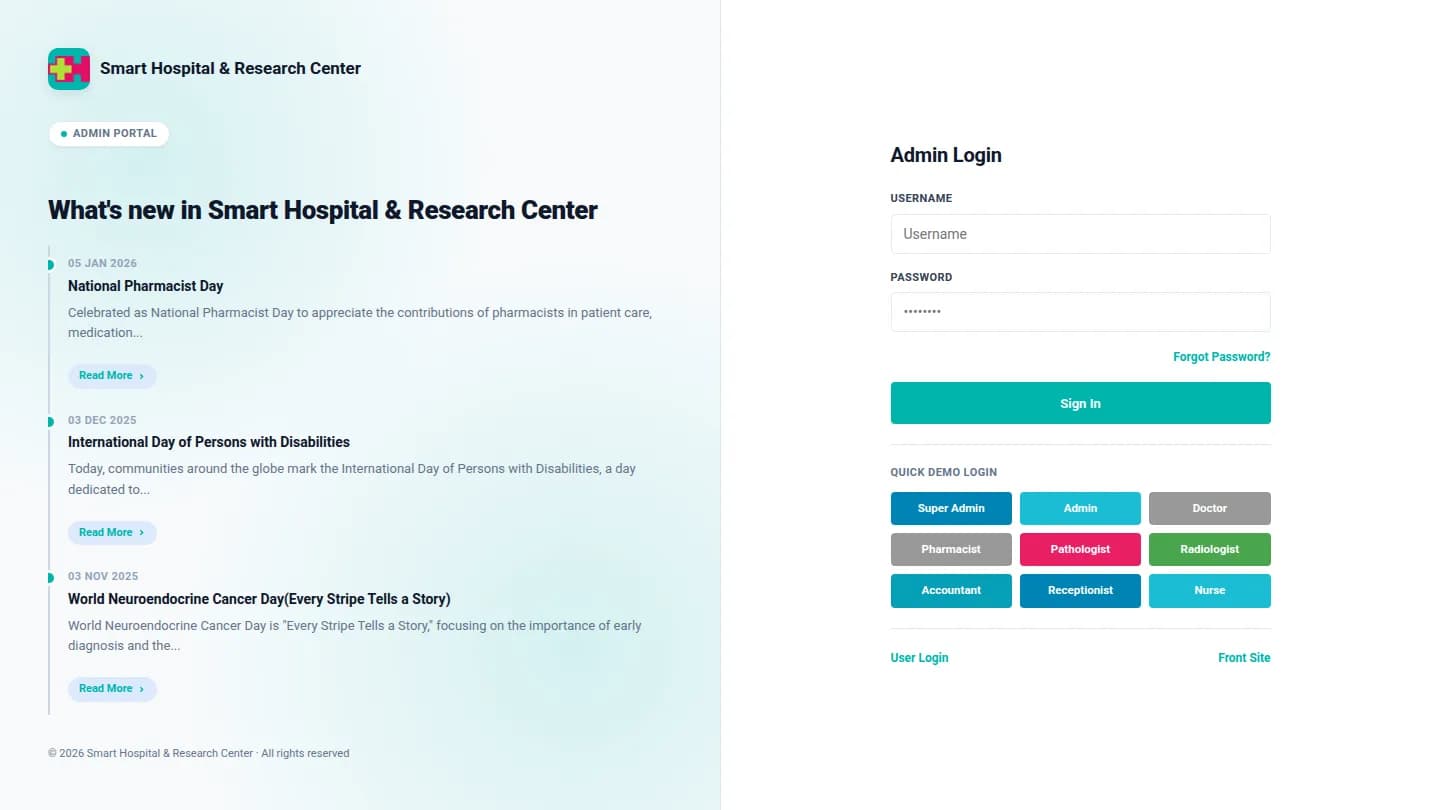
Secure your logins
Turn on SSL and sign in as Super Admin. Staff and patients each have their own login page, and the Two Factor Authentication add-on adds a phone code after the password.
HTTPS for every page and every login
Separate login for staff and for patients
CAPTCHA on public forms
Phase 02
Configure your hospital
Steps 07–13
STEP 0710 minutes
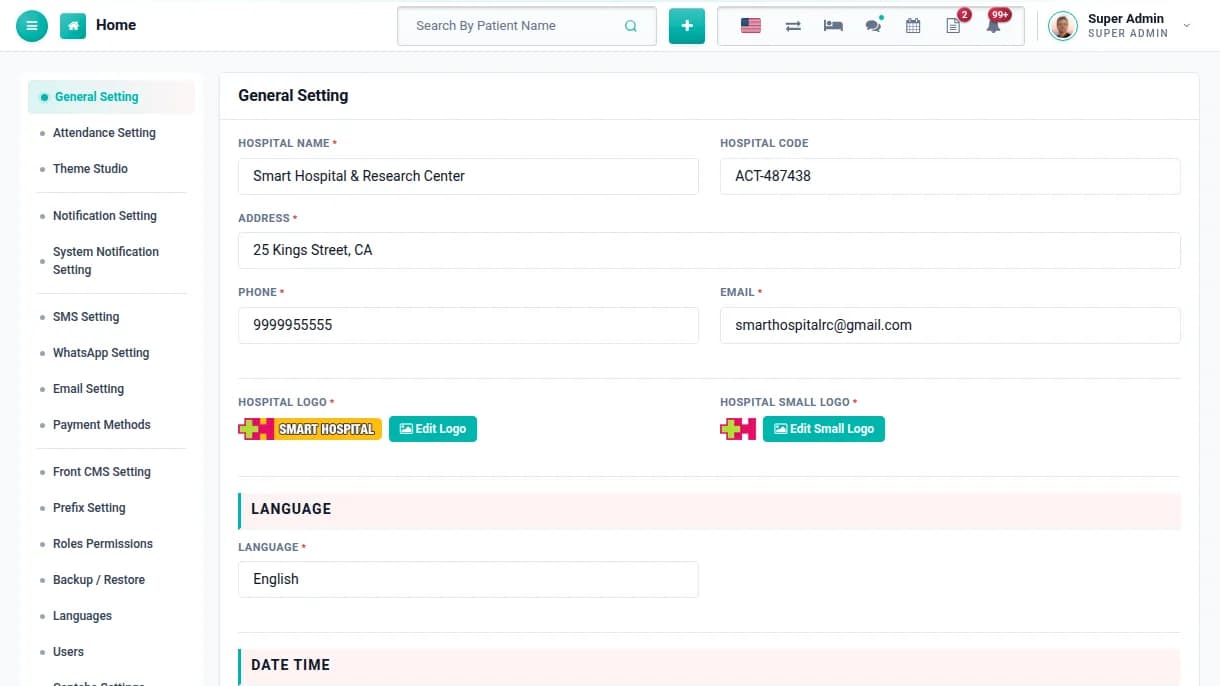
Add your hospital profile
Enter the hospital name, code, address, phone, email, logos, language, date format, time zone and currency. These details appear on every bill, prescription, report and certificate.
Branded bills, prescriptions and reports
Multi-language and multi-currency
Change any detail later without losing data
STEP 082 minutes
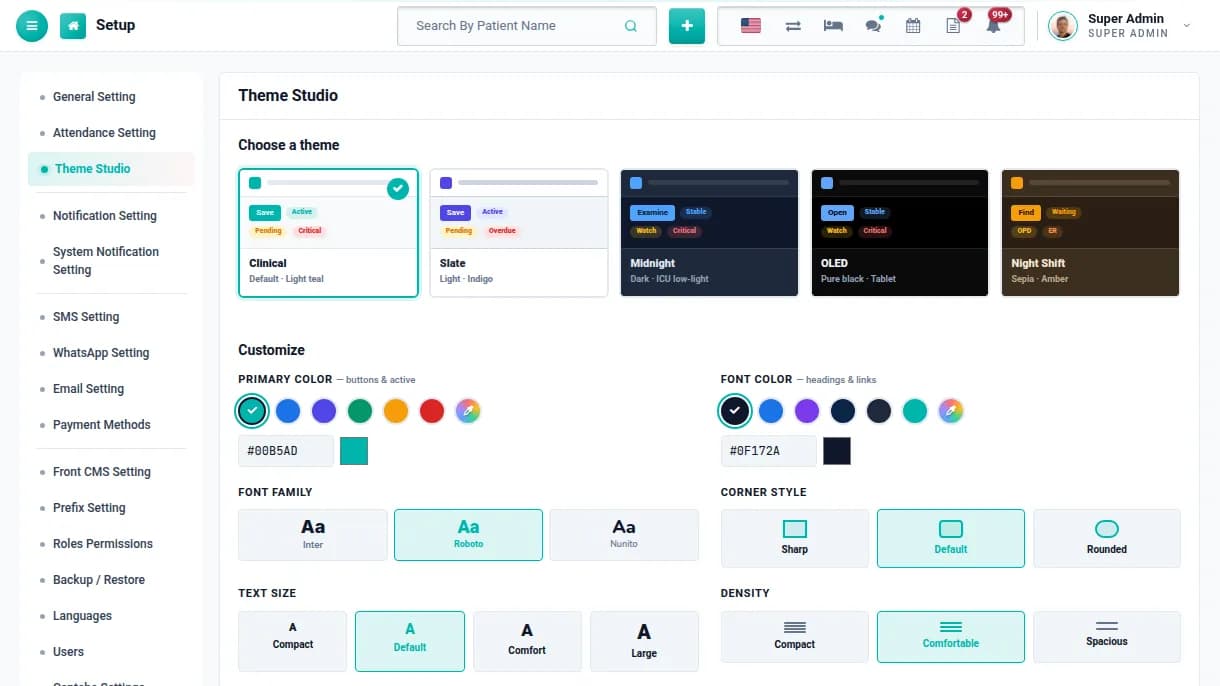
Choose the look of your panel
Theme Studio lets you pick a light or dark theme, your brand colour, font, corner style, text size and density for the admin panel. Your staff see the same look on every screen.
Light, dark and night-shift themes
Your own primary and font colours
Compact or spacious layouts for busy desks
STEP 095 minutes
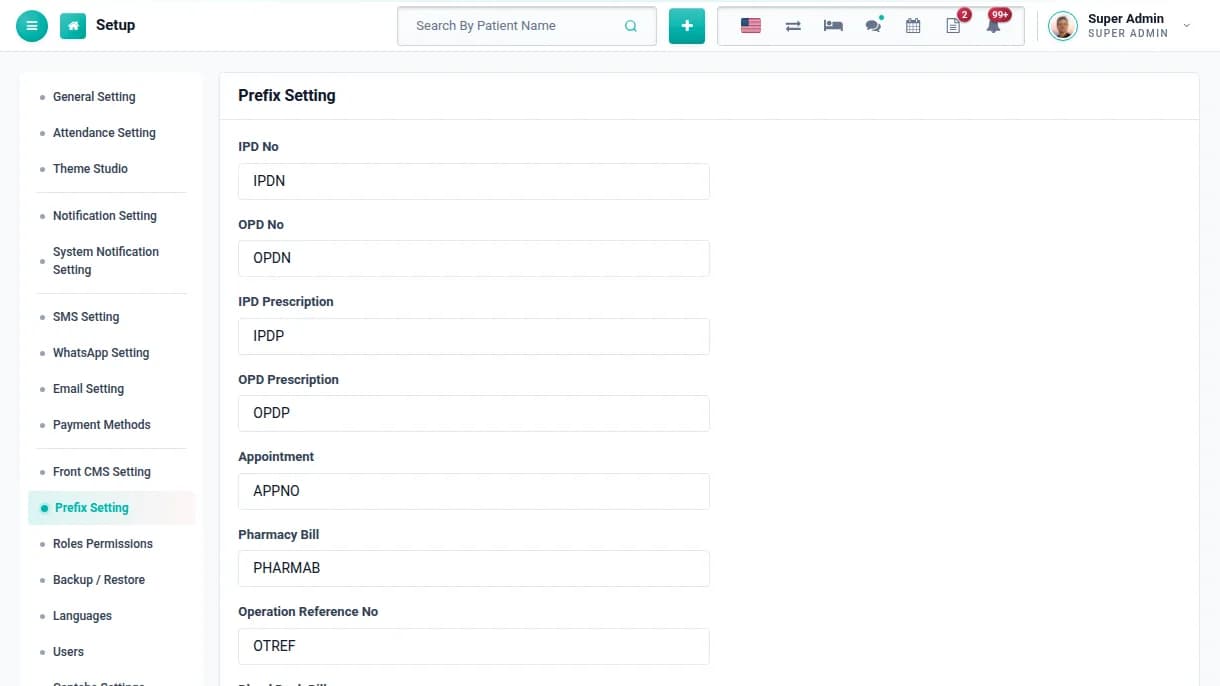
Set number prefixes
Set the prefix for IPD and OPD numbers, prescriptions, appointments, pharmacy, pathology, radiology, blood bank, ambulance and operation records. Every record then gets a clear, consistent number.
Separate series for every module
Numbers that staff recognise at a glance
No duplicate or hand-typed numbers
STEP 1010 minutes
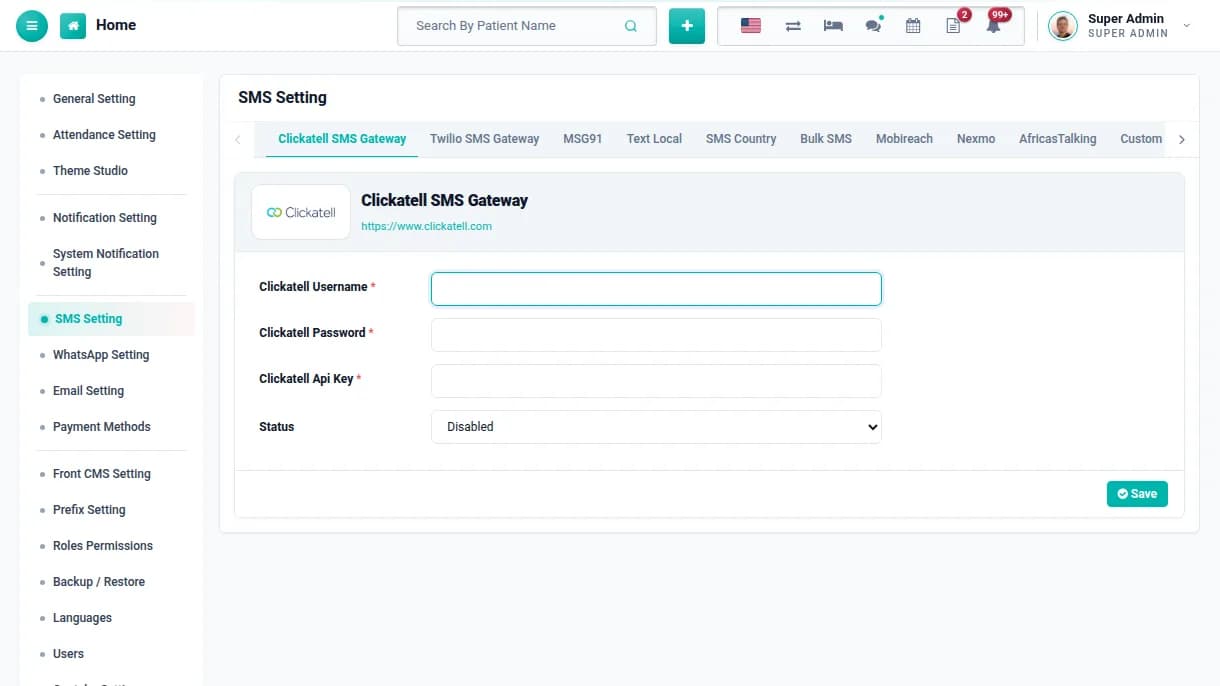
Connect SMS, email & WhatsApp
Add your SMS gateway and email service once. Registration, discharge, appointment and login messages then go out automatically, and the WhatsApp add-on adds WhatsApp as a channel.
Clickatell, Twilio, MSG91, Text Local, SMS Country and more
DLT template ID field for Indian SMS gateways
Choose per event which channels send
STEP 115 minutes
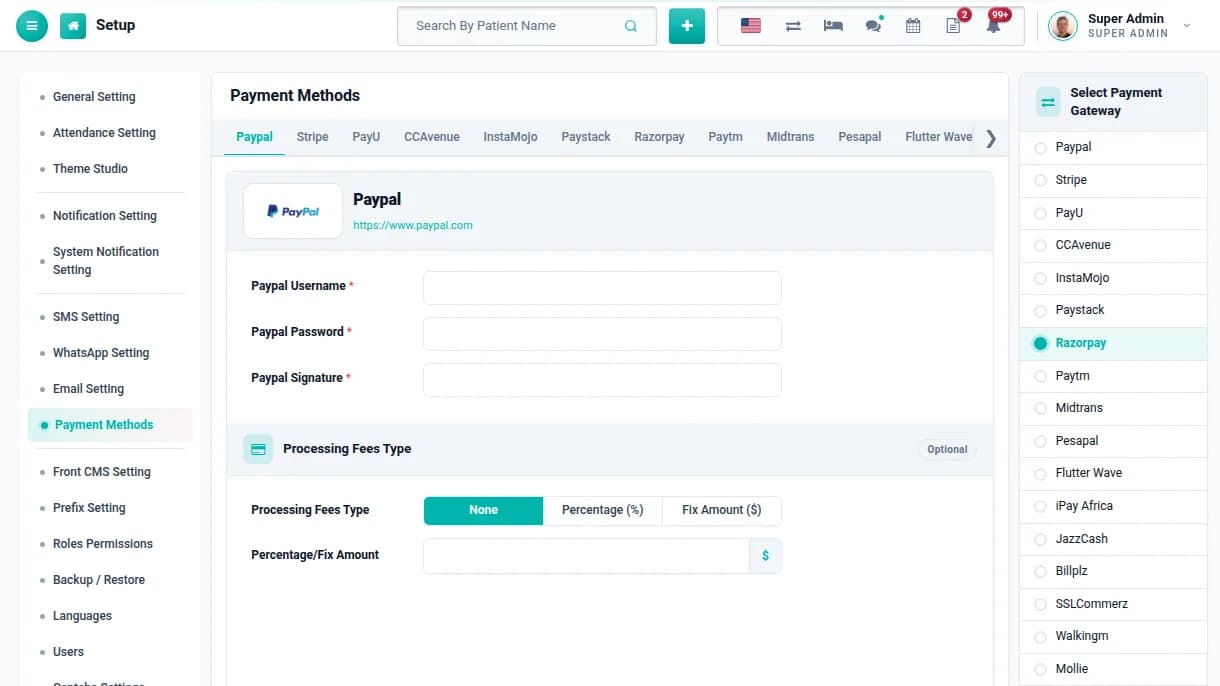
Enable online payments
Connect the payment gateway you already use. Patients can then pay appointment, OPD, IPD, pharmacy and lab bills from the patient panel, and each payment lands on their bill.
Razorpay, Paytm, PayU, CCAvenue, Stripe, PayPal and more
Optional processing fee, fixed or percentage
Money goes straight to the hospital's account
STEP 1210 minutes
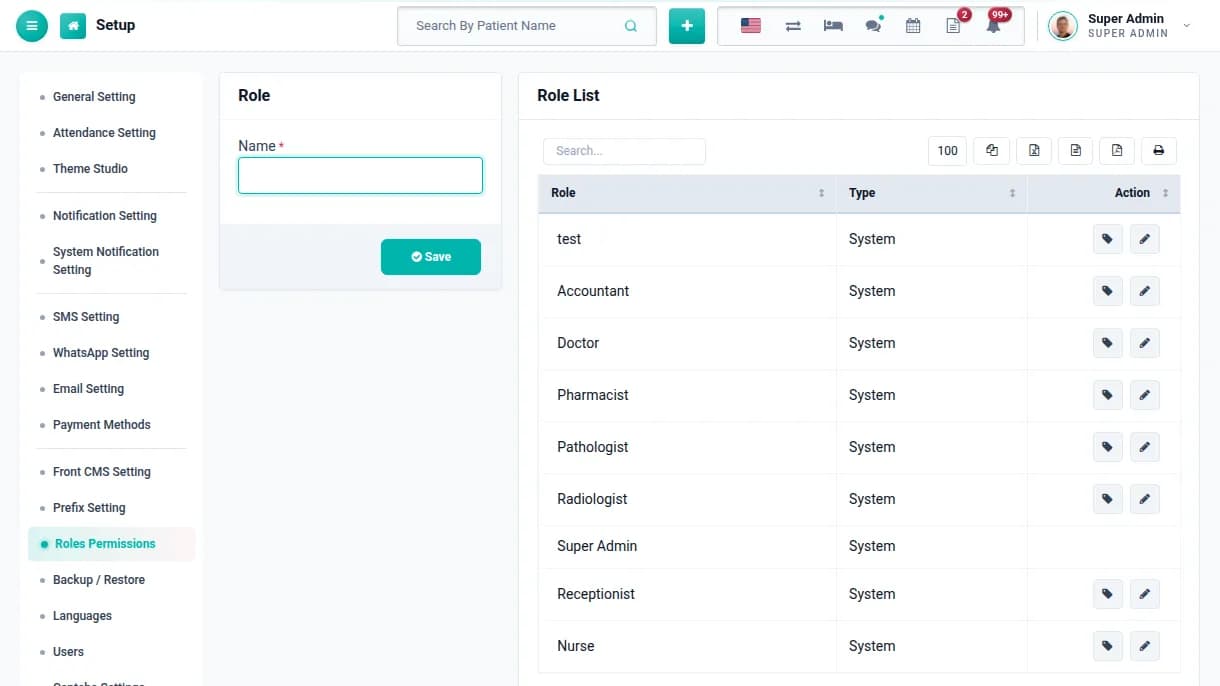
Define roles & permissions
Start from the nine built-in roles, including Doctor, Nurse, Pharmacist, Pathologist, Radiologist, Accountant and Receptionist, or create your own. Tick exactly what each role can view, add, edit or delete.
9 ready-made roles plus unlimited custom roles
View, add, edit and delete control per module
Turn off modules your hospital does not use
STEP 1310 minutes
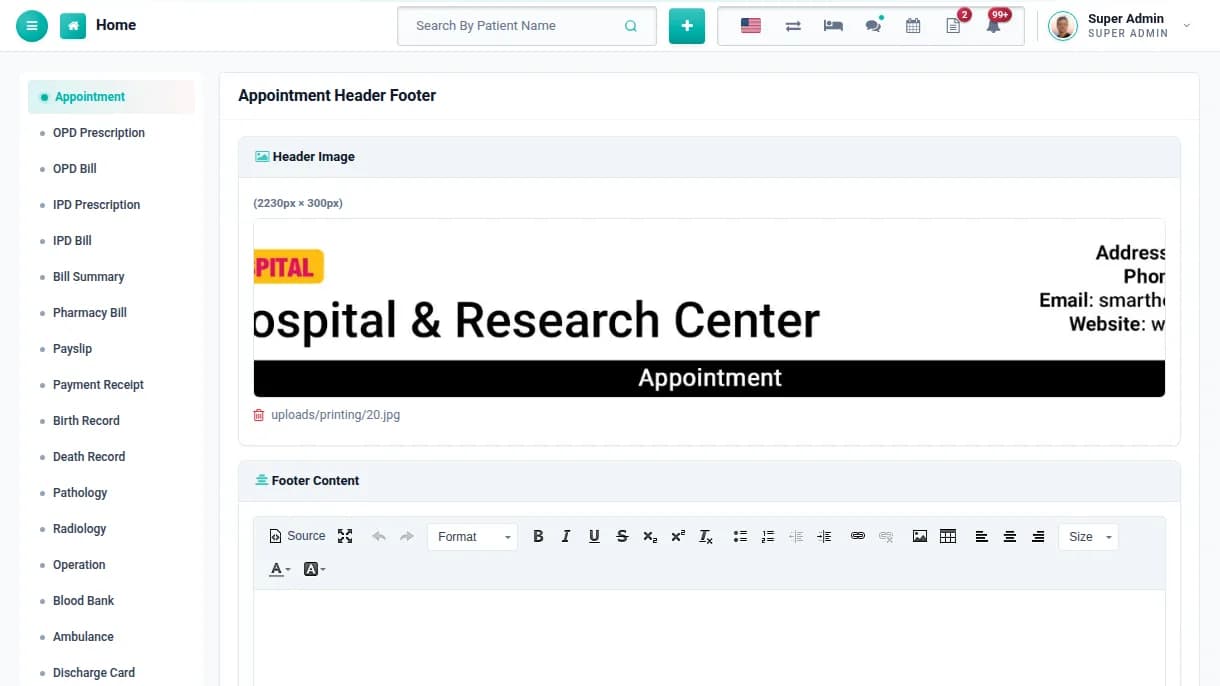
Add print headers & footers
Upload a header image and footer text for each printout, from OPD prescriptions and IPD bills to pharmacy bills, lab reports, payslips and discharge cards.
Different header for every type of print
Bills and reports carry your branding
Ready for A4 and letterhead printing
Phase 03
Set up departments, beds & charges
Steps 14–21
STEP 1420 minutes
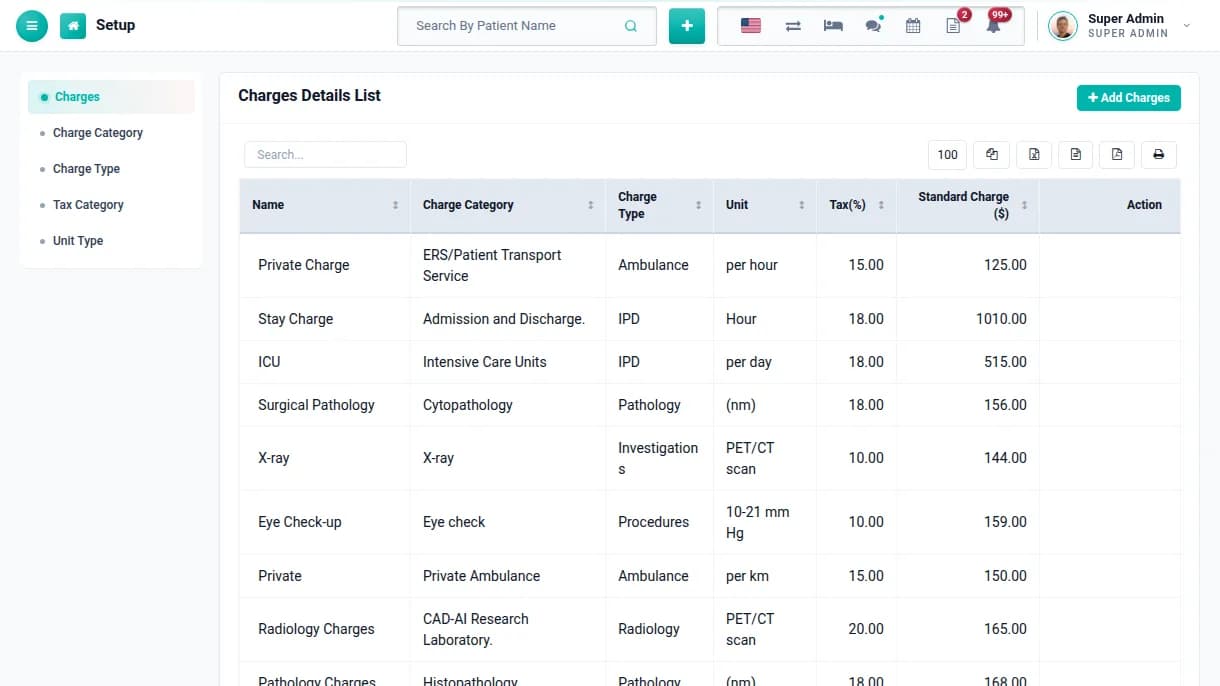
Build your charges list
Create charge types and categories, units and tax rates, then list every charge with its standard price: consultation, ICU, procedures, investigations, oxygen and operation theatre.
Standard charge and tax on every item
A separate rate for each insurance panel (TPA)
Charges reused by OPD, IPD and every lab
STEP 1515 minutes
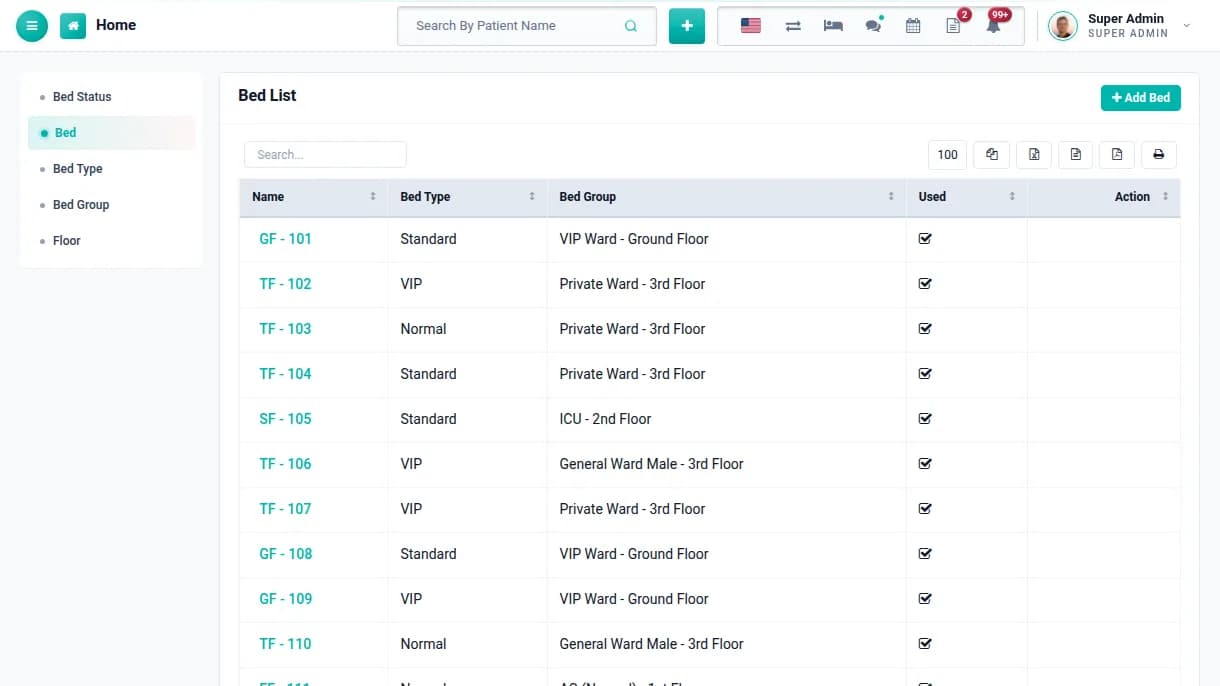
Set up floors, wards & beds
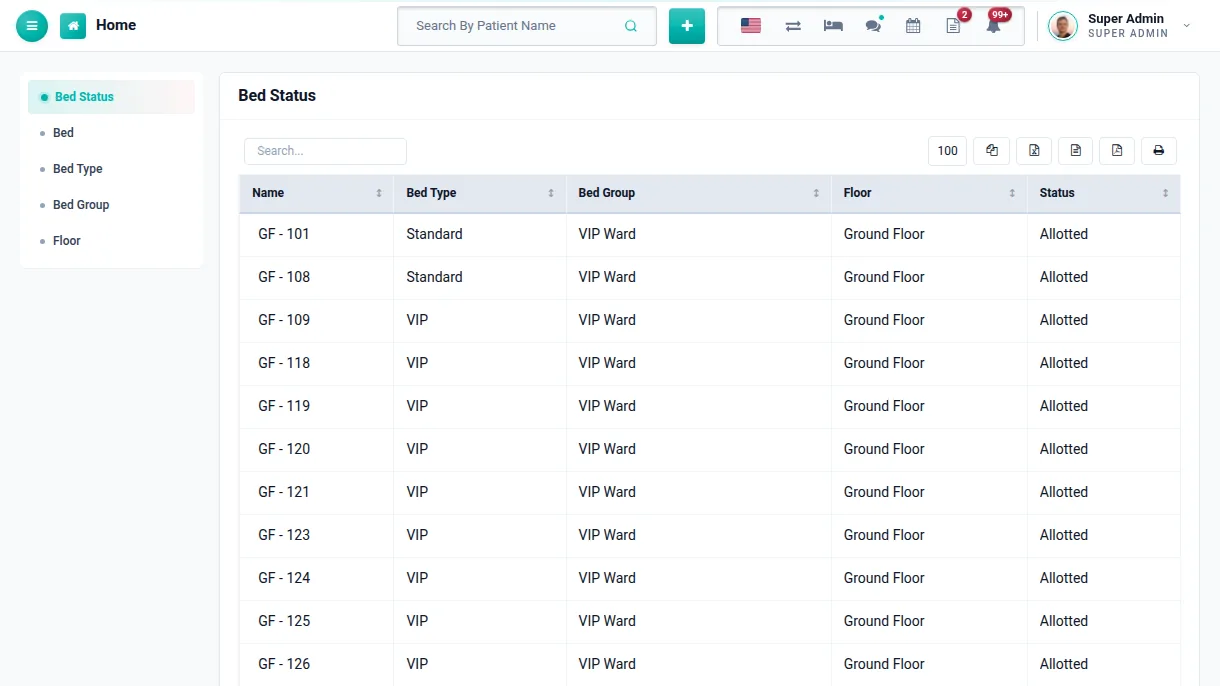
Add floors, bed groups such as ICU, NICU or a private ward, bed types and every bed. The bed status screen then shows which beds are free and who is in the rest.
Floor, ward and bed type for every bed
Mark a bed unused during repairs
Admit a patient straight from a free bed
STEP 1615 minutes
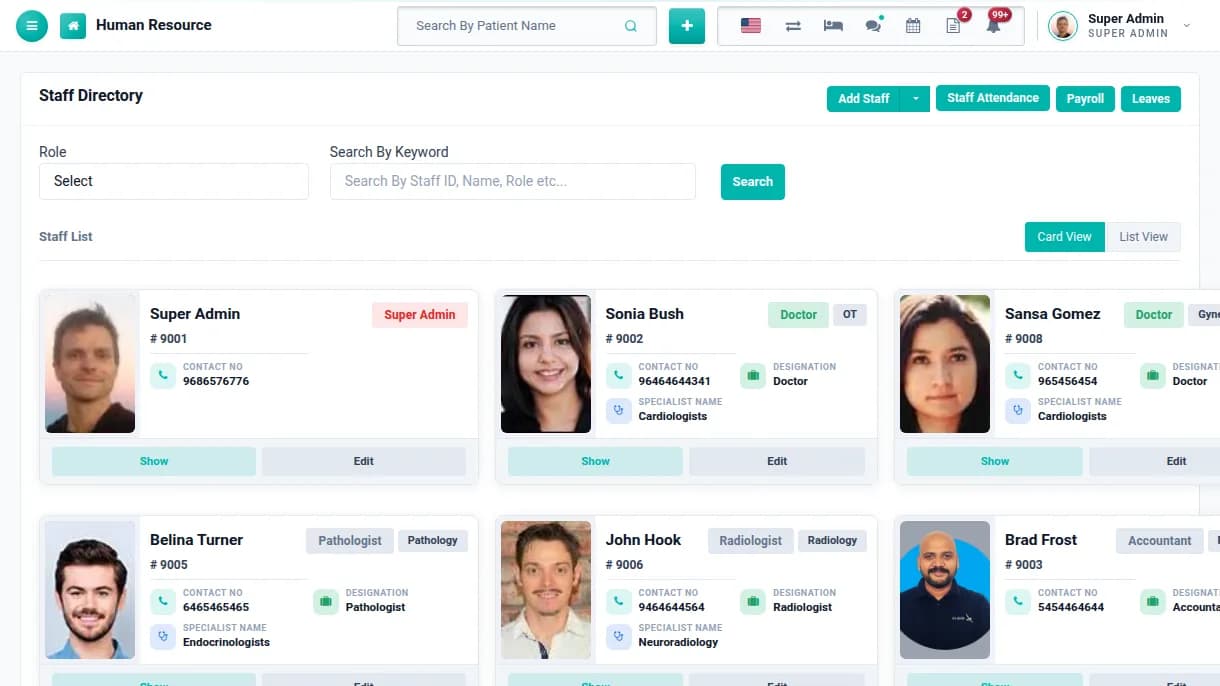
Onboard your staff
Add departments, designations and specialists, then create a profile for each doctor, nurse and employee. Each staff member gets their own login with the permissions of their role.
Full staff profile with documents and bank details
Login details sent to the staff email
Import staff from a spreadsheet
STEP 1710 minutes
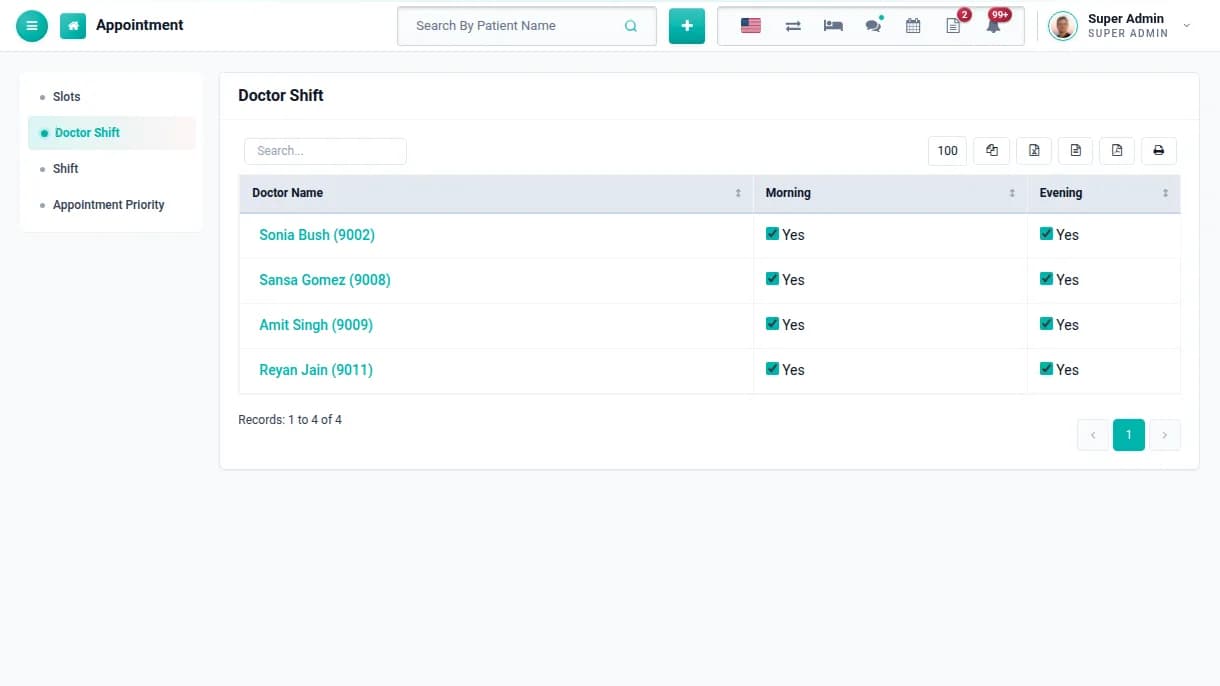
Set doctor shifts & slots
Create shifts, assign doctors to them and set slot length and consultation fee. Patients can then only book times when the doctor is actually available.
Morning, evening or custom shifts
Consultation duration and fee per doctor
Appointment priorities for urgent cases
STEP 1815 minutes
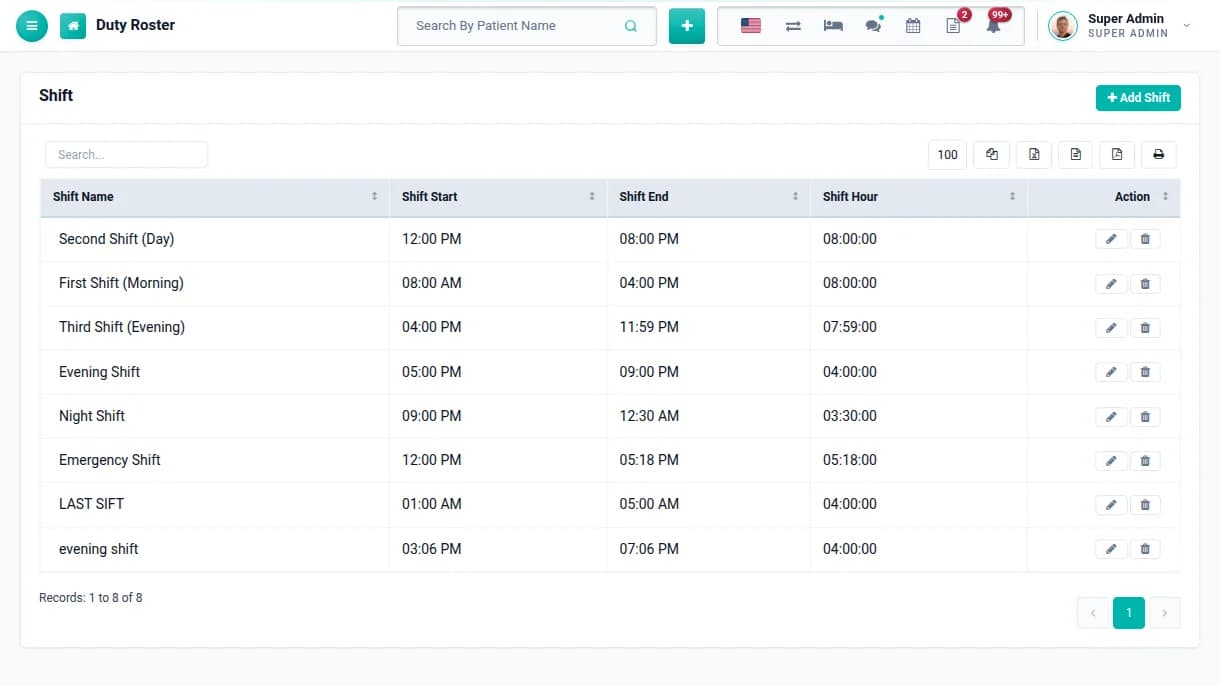
Plan the duty roster
Define shifts with start and end times, create rosters for a date range and assign staff to them. Everyone can see who is on duty, by department and floor.
Day, night and emergency shifts
Roster by date range
Duty report by staff and department
STEP 1920 minutes
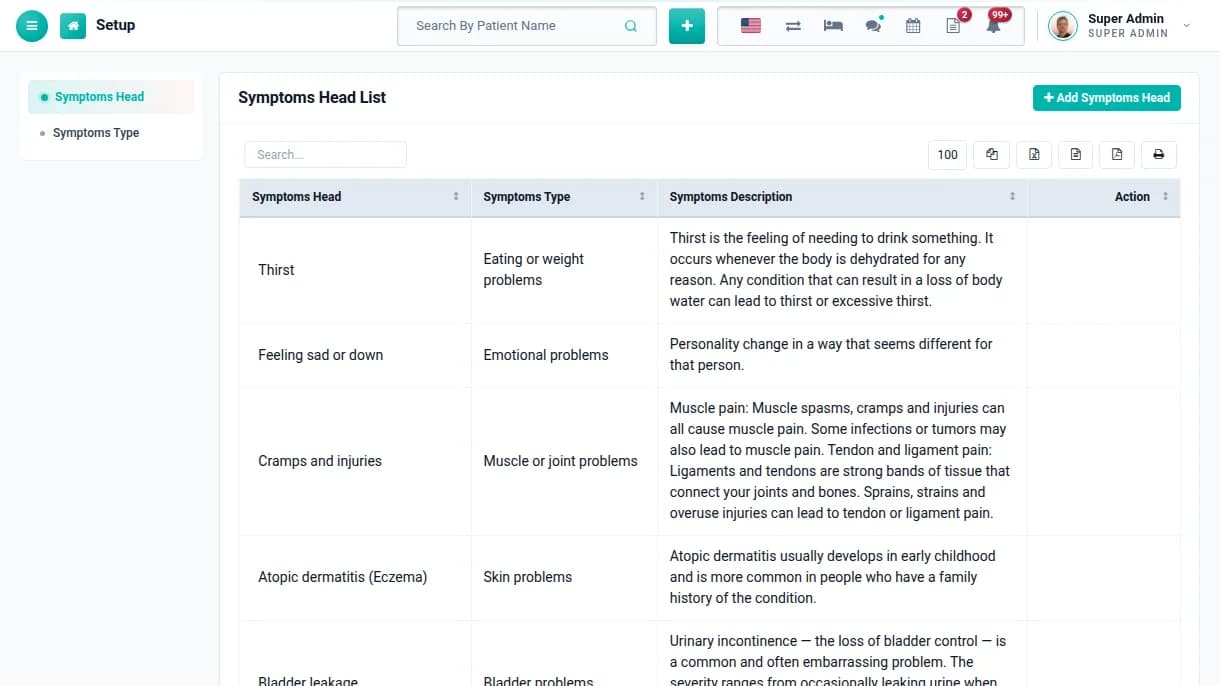
Load clinical masters
Add symptoms, findings, vitals with their normal ranges and ICD-10 codes. Doctors then pick from consistent lists instead of typing the same notes again and again.
Symptoms and findings with descriptions
Vitals with reference ranges
ICD-10 codes and groups
STEP 2020 minutes
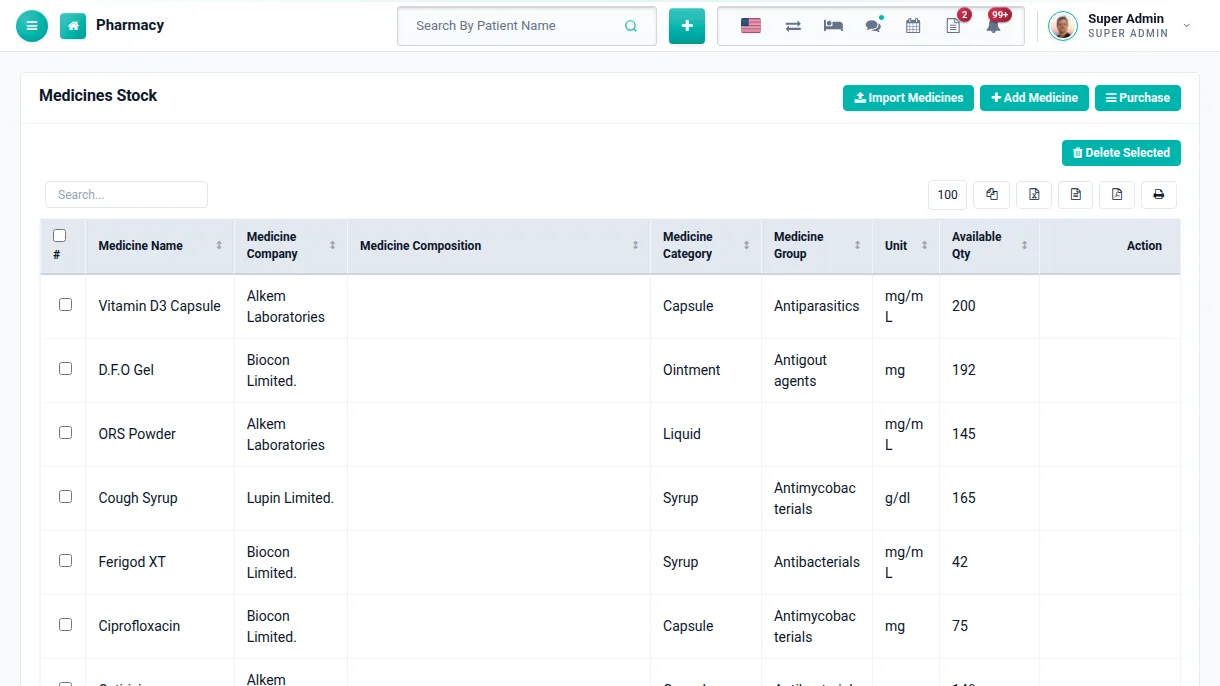
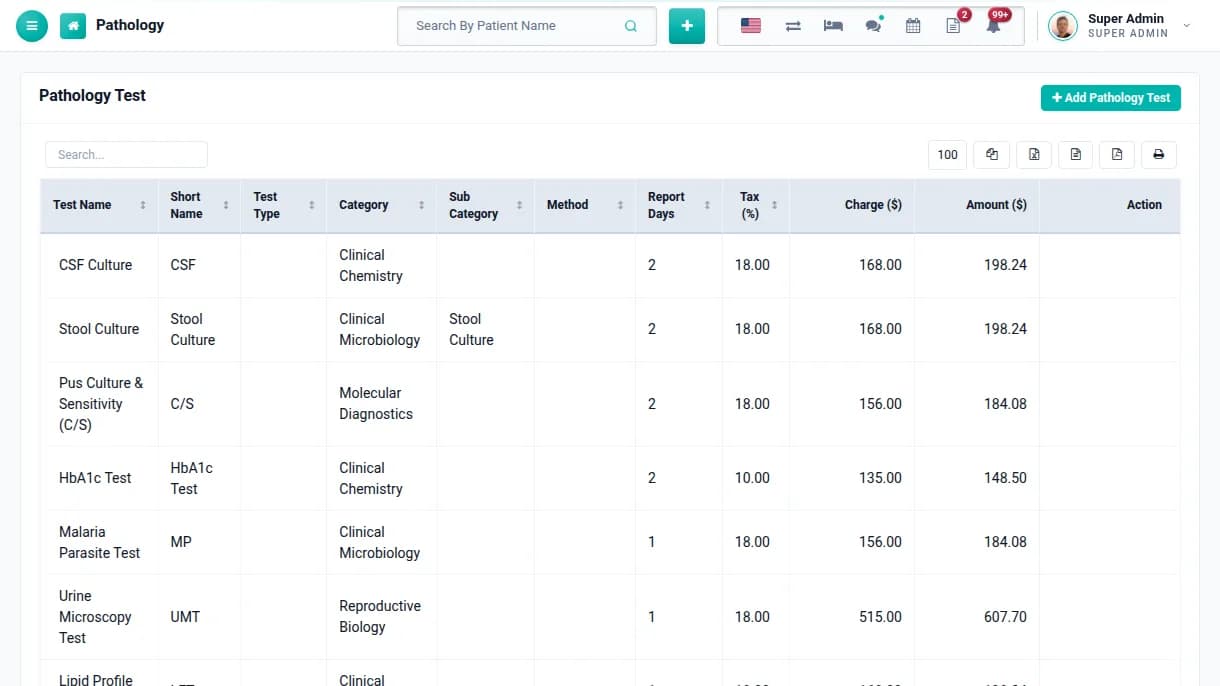
Load medicines & lab tests
Import your medicine list from a CSV file, with category, company, composition and group. Add pathology and radiology tests with parameters, report days and charges.
Bulk medicine import from CSV
Reorder and minimum stock levels per medicine
Test parameters with reference ranges
STEP 2110 minutes
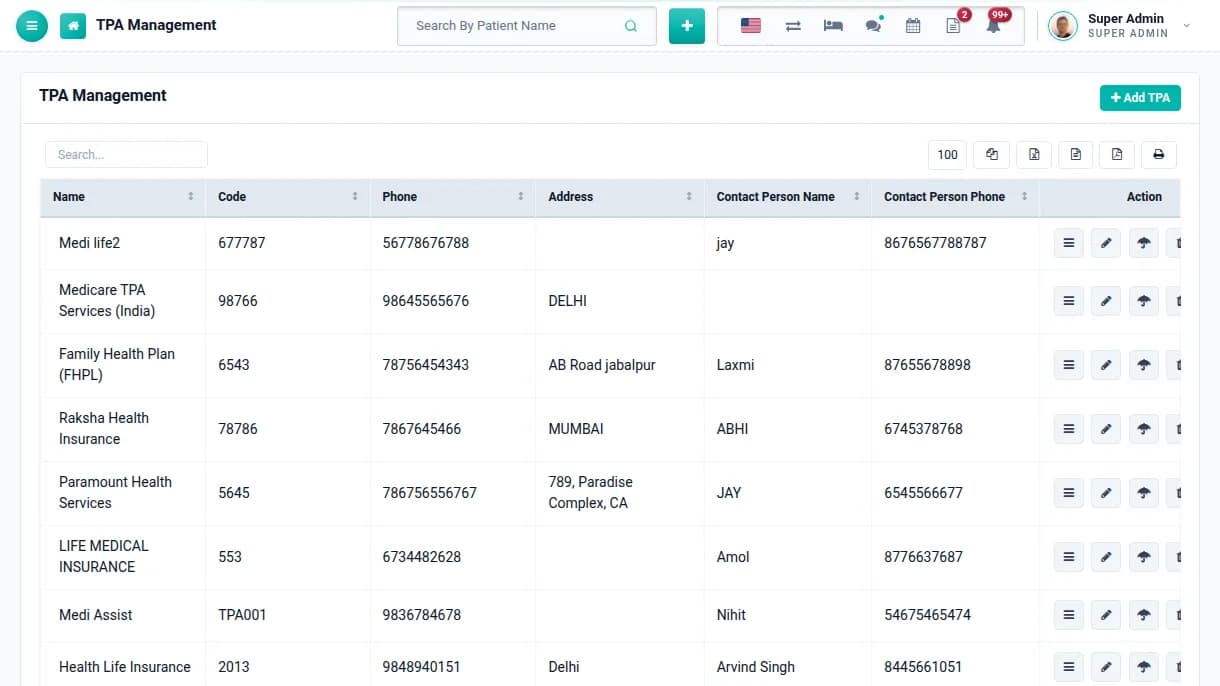
Add insurance panels
Add each TPA or insurance company you work with, with its code and contact person. Its agreed rates then apply automatically when that panel is chosen for a patient.
TPA rate per charge
TPA ID and validity on the patient record
TPA report for claims
Phase 04
Front desk & appointments
Steps 22–25
STEP 22Ongoing
Run the front office
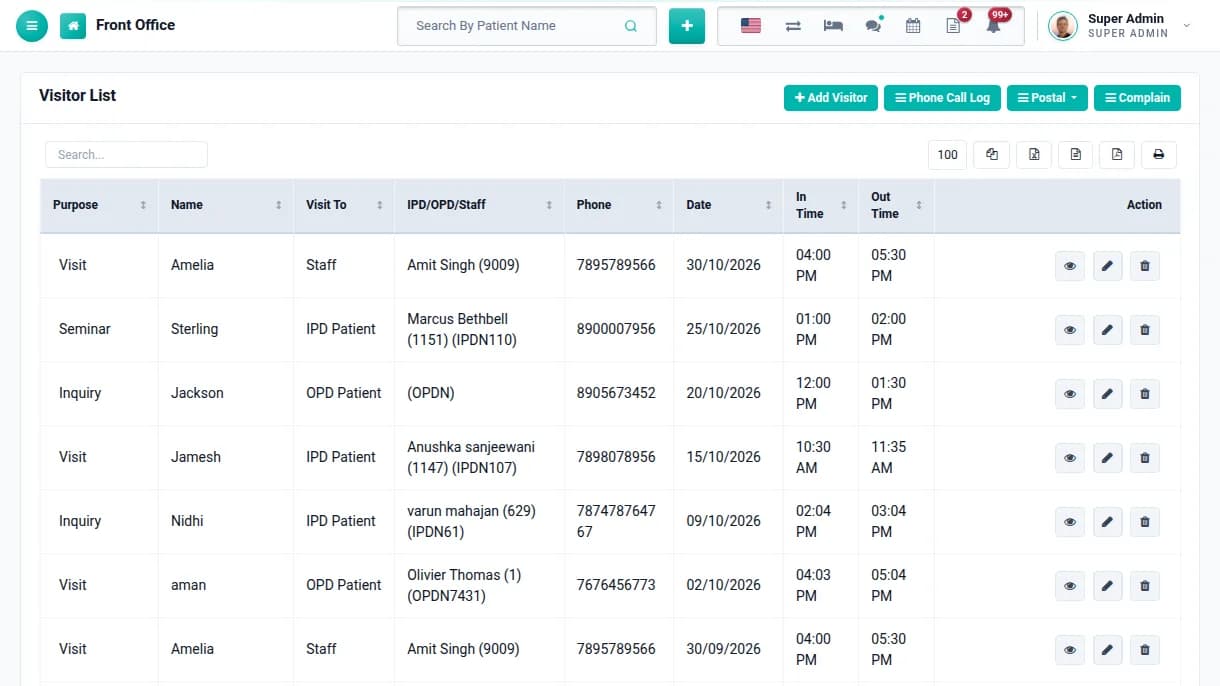
Reception logs visitors with in and out times, phone calls, postal mail and complaints. Visitors to an in-patient are linked to that patient's IPD number.
Visitor book linked to OPD and IPD patients
Phone call log with follow-ups
Postal receive, dispatch and complaints
STEP 235 minutes
Open online appointments
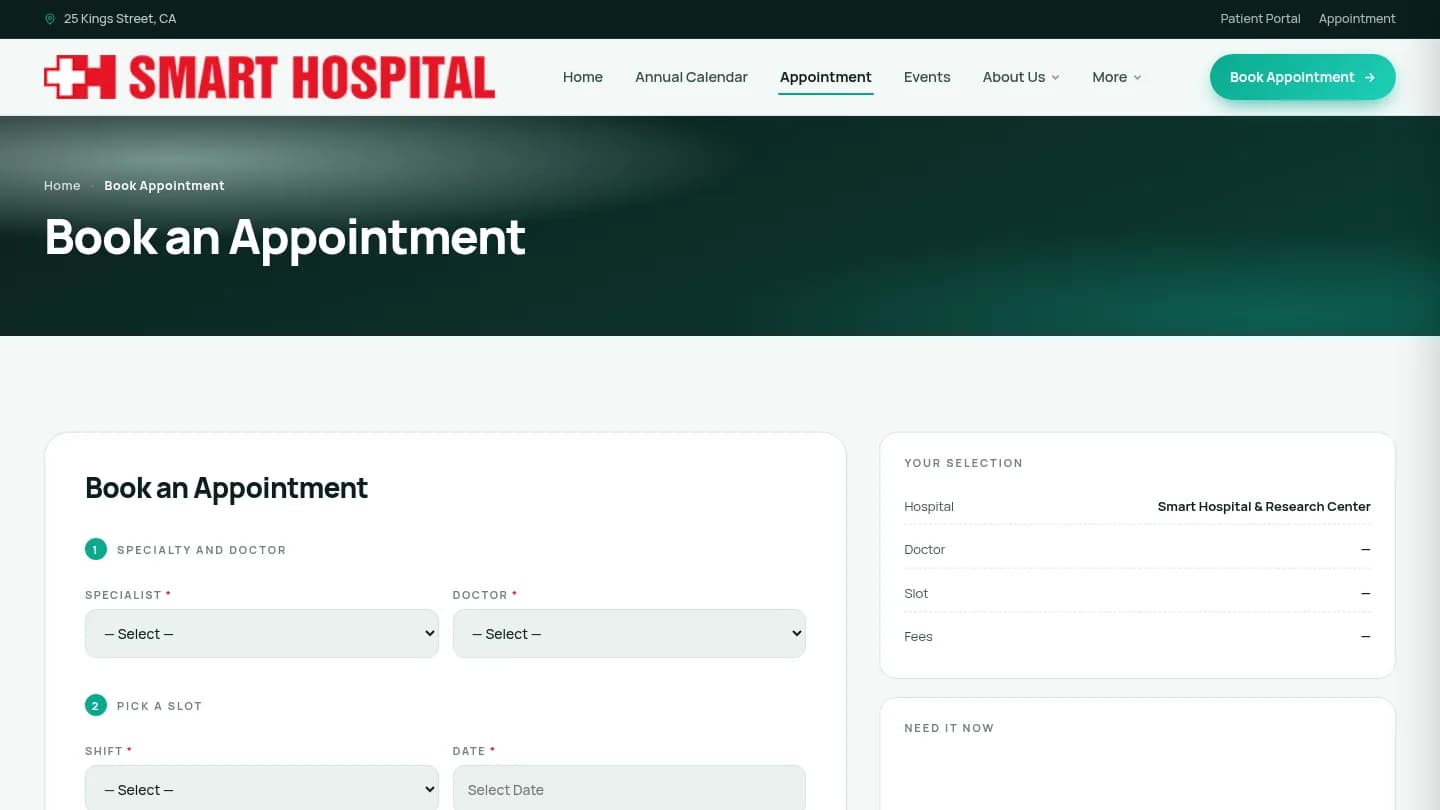
Add the appointment page to your hospital website. Patients choose a specialist, doctor, shift and free slot, and can pay online so the booking is confirmed straight away.
Booking from the website and the patient panel
Only real, free slots are offered
Video consultation can be chosen at booking
STEP 241 min a booking
Manage the appointment desk
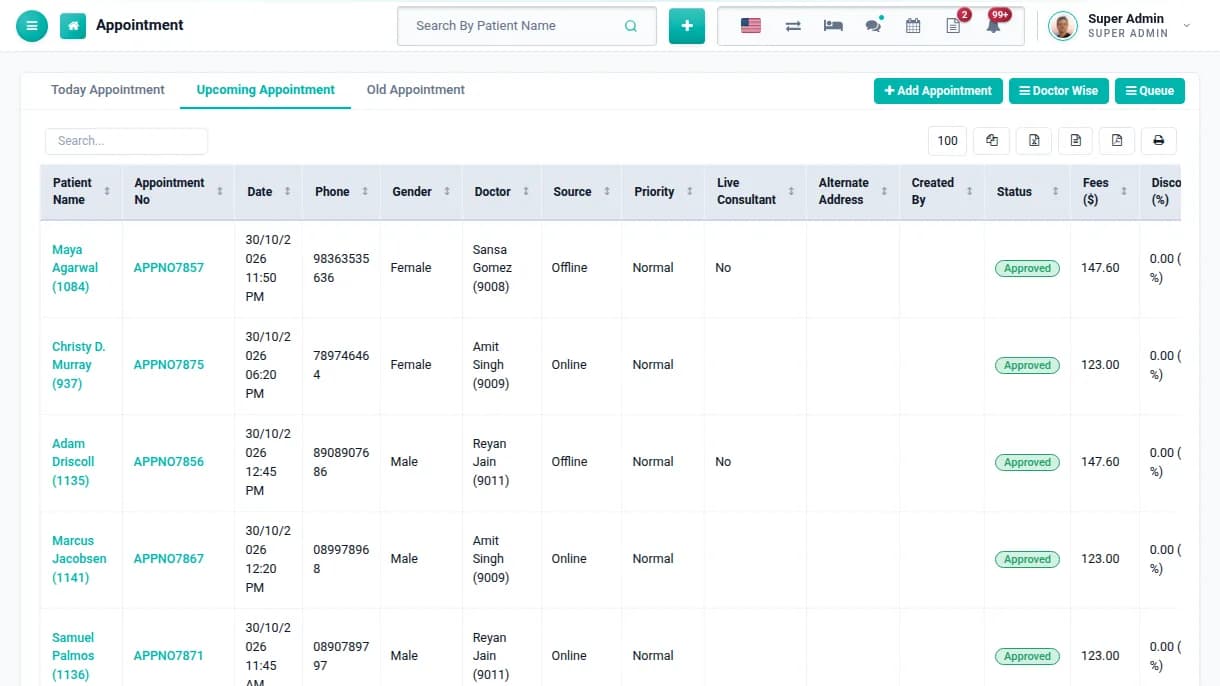
See today's, upcoming and past appointments, book walk-ins, check doctor-wise schedules and run the patient queue. Approved appointments move straight into OPD.
Online and offline bookings in one list
Doctor-wise view and patient queue
Reschedule and approve in a click
STEP 251 min a patient
Register patients once
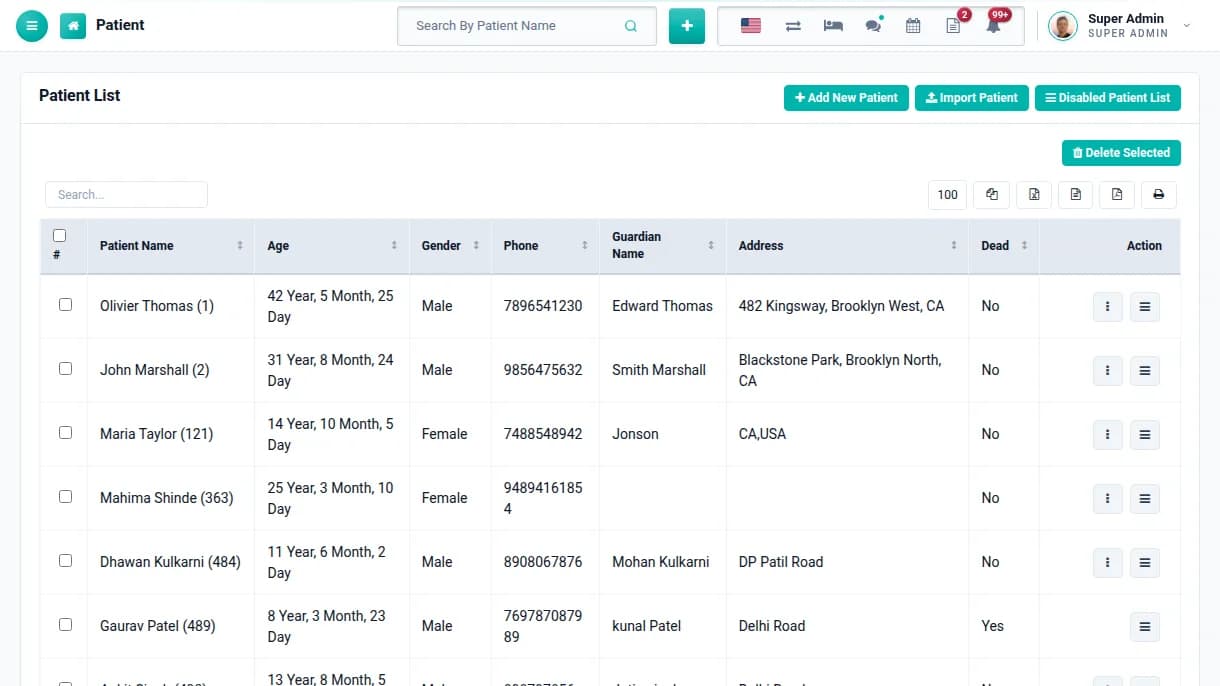
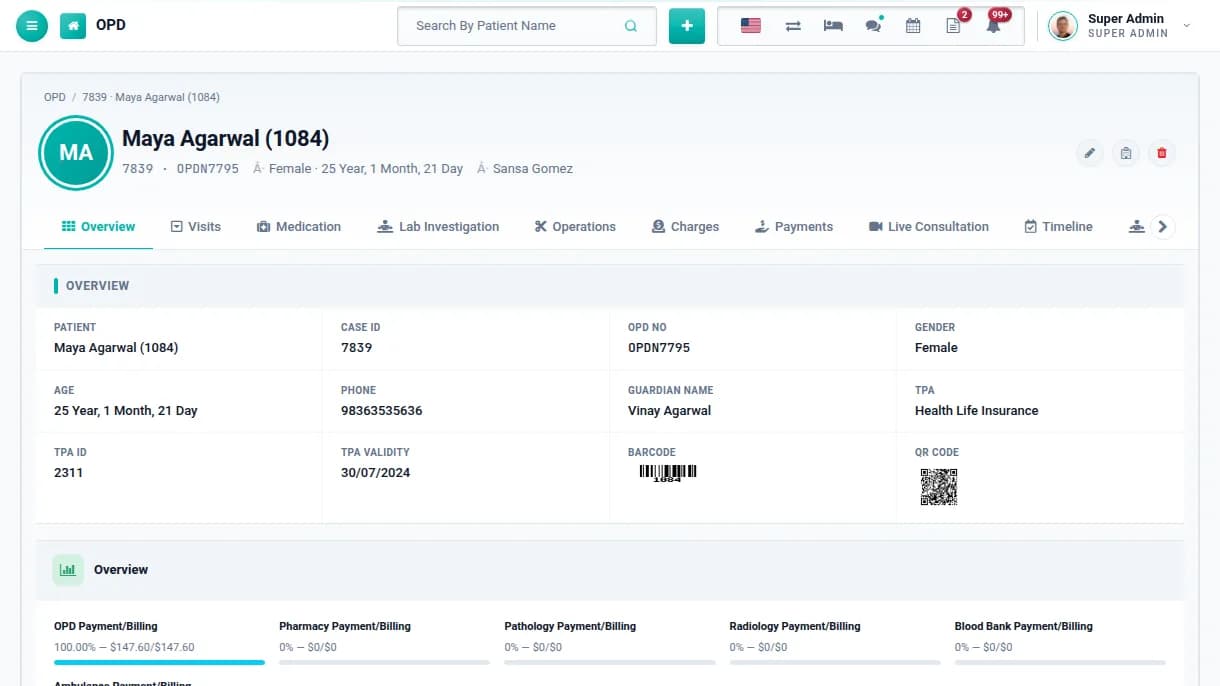
Create a patient once with contact details, guardian, blood group, allergies and TPA. Every OPD visit, admission, test and bill is then linked to the same record.
Bulk import existing patients from CSV
Barcode and QR code on every patient
Patient login created and sent automatically
Phase 05
OPD & IPD care
Steps 26–31
STEP 265 min a visit
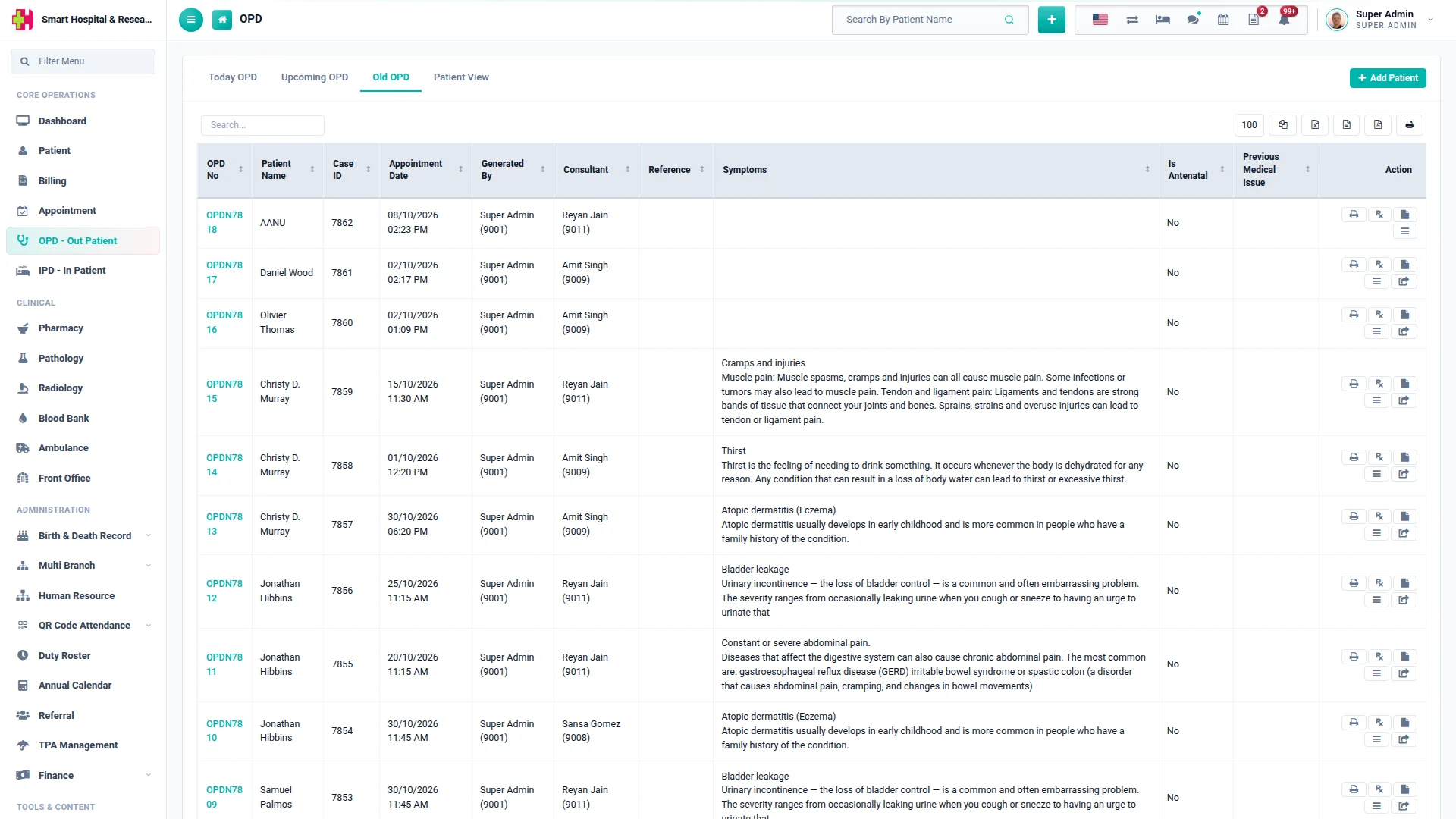
See patients in OPD
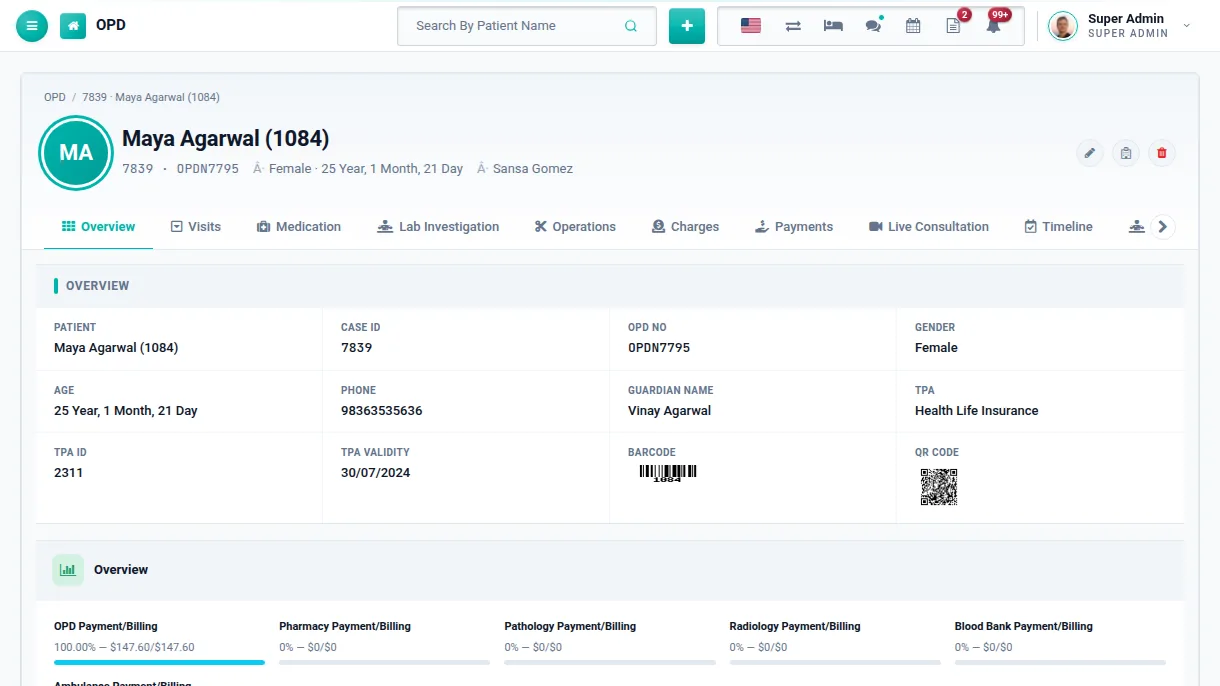
Record height, weight, BP and symptoms, choose the consultant and charge, then write the prescription with medicines, findings and pathology or radiology tests in the same screen.
Prescriptions with medicines and lab tests
Revisits kept under the same OPD record
Antenatal details for female patients
STEP 275 minutes
Admit to IPD
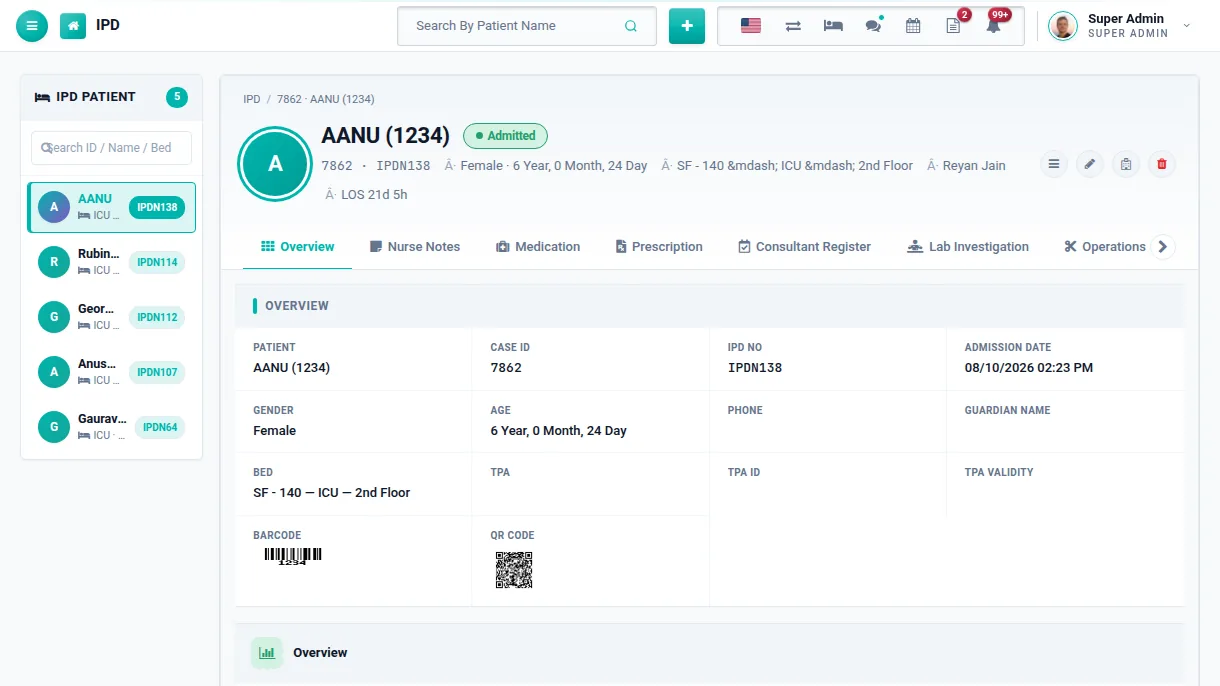
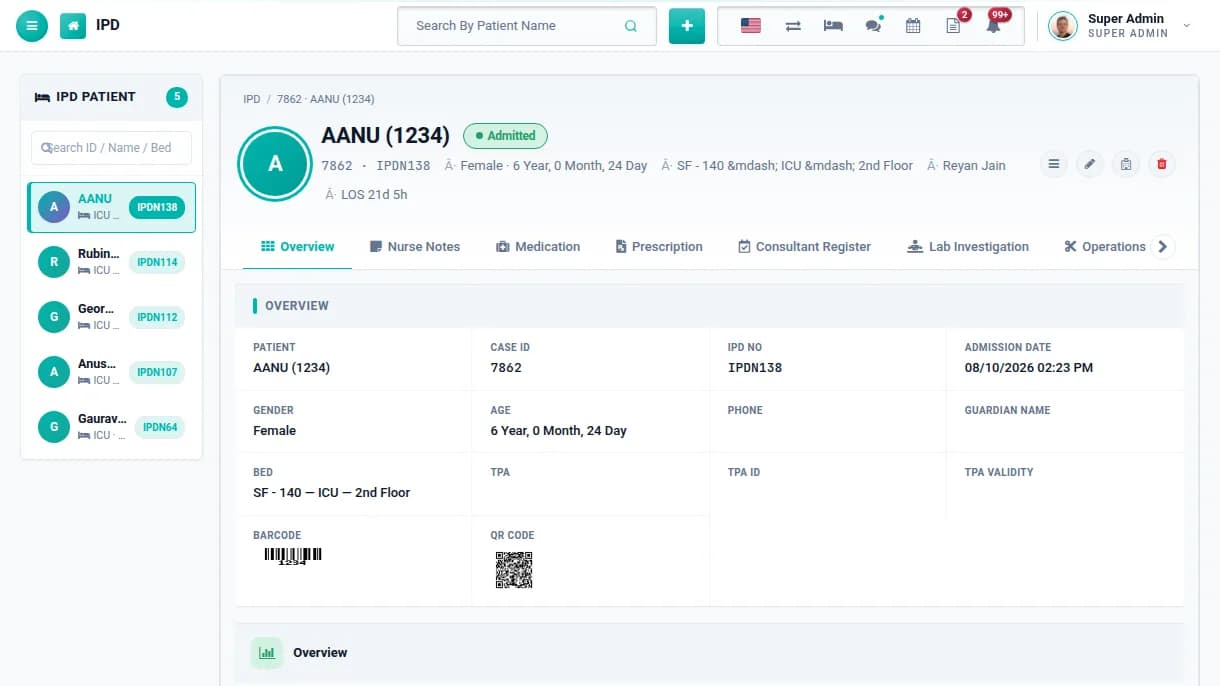
Move an OPD patient to IPD or admit directly. Choose the consultant, bed group and bed, credit limit and TPA. The patient keeps the same case ID, so no history is lost.
Admission from OPD or directly
Bed allotment with bed history
Credit limit per admission
STEP 28Every shift
Record ward care
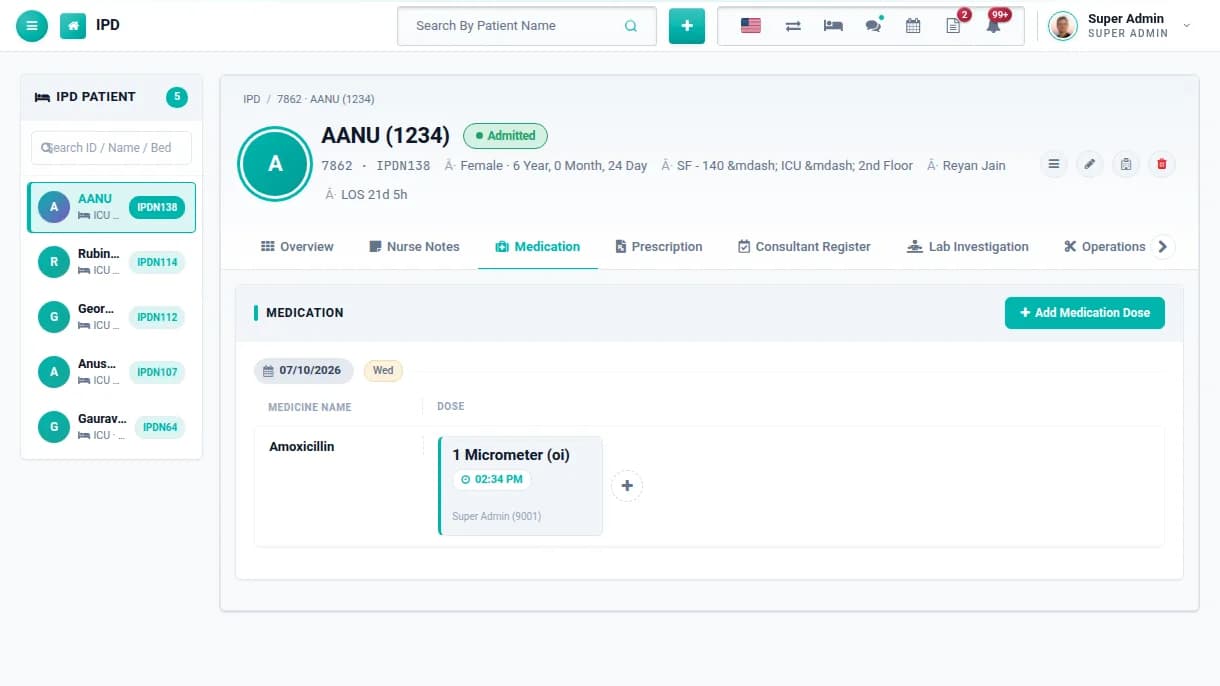
Nurses add notes and medication doses with time, doctors add consultant instructions, and vitals are recorded against their normal ranges. Everything sits on one in-patient timeline.
Nurse notes with comments
Medication doses with date and time
Consultant register and vitals
STEP 2910 minutes
Book operations
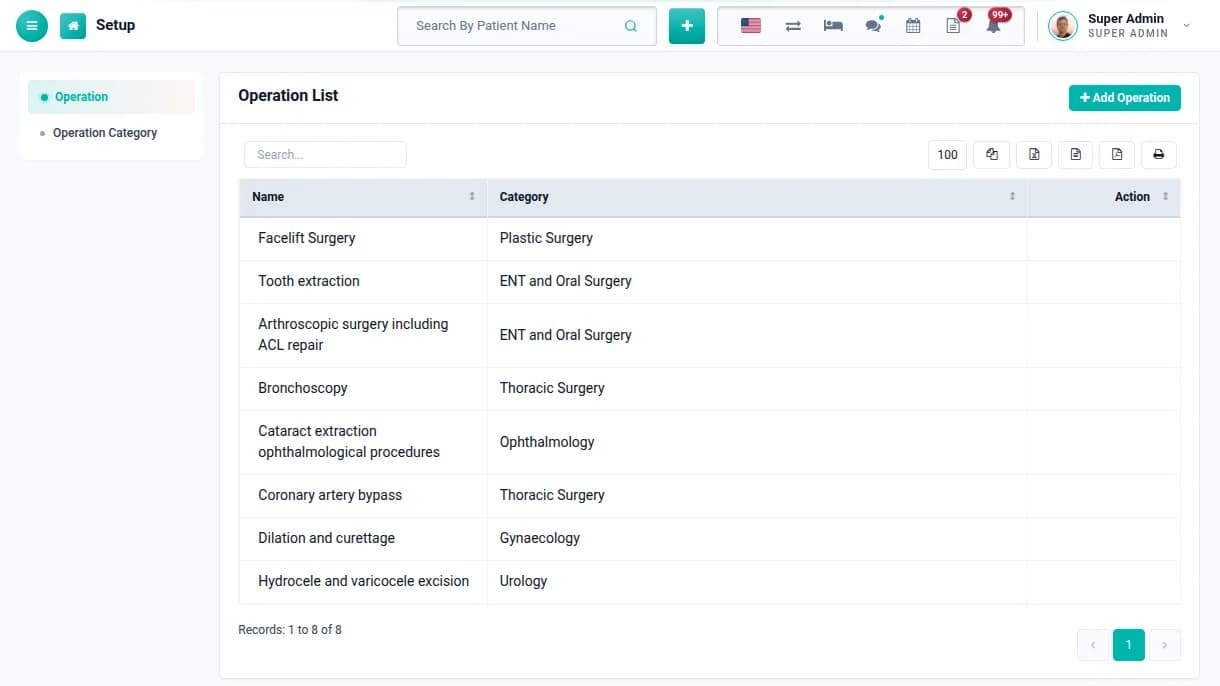
Add operations for OPD or IPD patients with category, date, consultant, assistants, anaesthetist and OT technician. Operation details and charges join the patient's record.
Operation categories and names
Full OT team recorded
OT report for the management
STEP 305 minutes
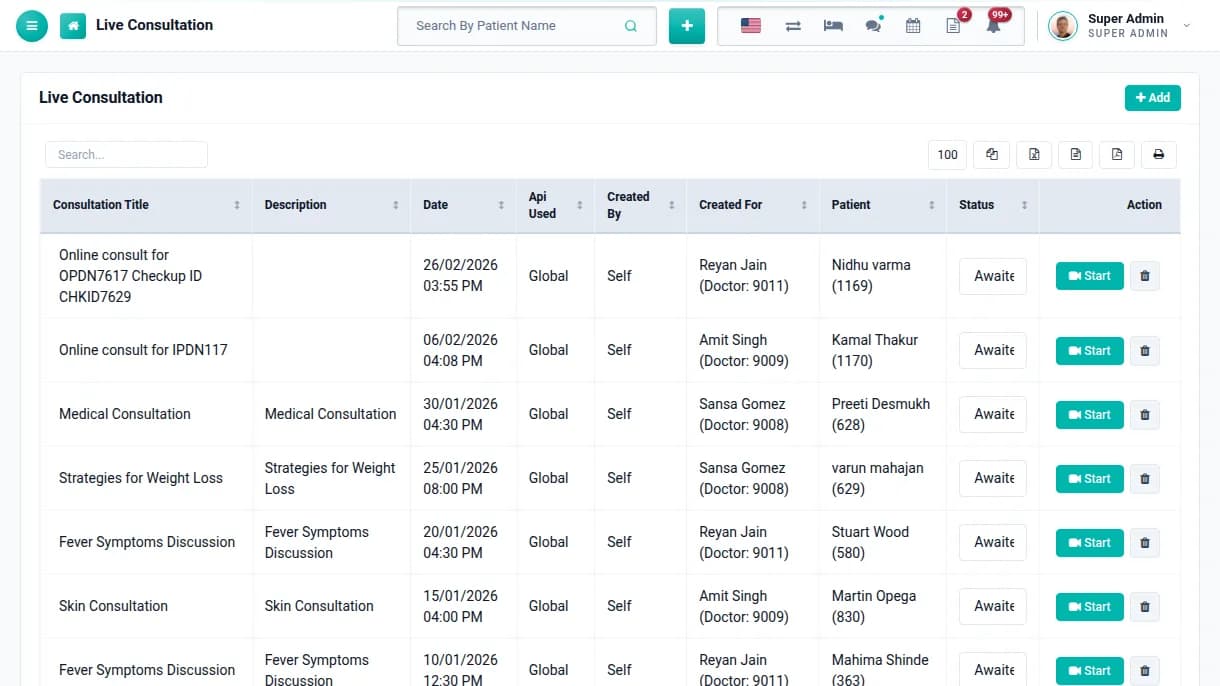
Consult online
Create a Zoom live consultation from an appointment, an OPD visit or an admission. The patient joins from the patient panel, and doctors can also hold live staff meetings.
Zoom live consultation for patients
Live meetings for staff
Consultation and meeting reports
STEP 315 minutes
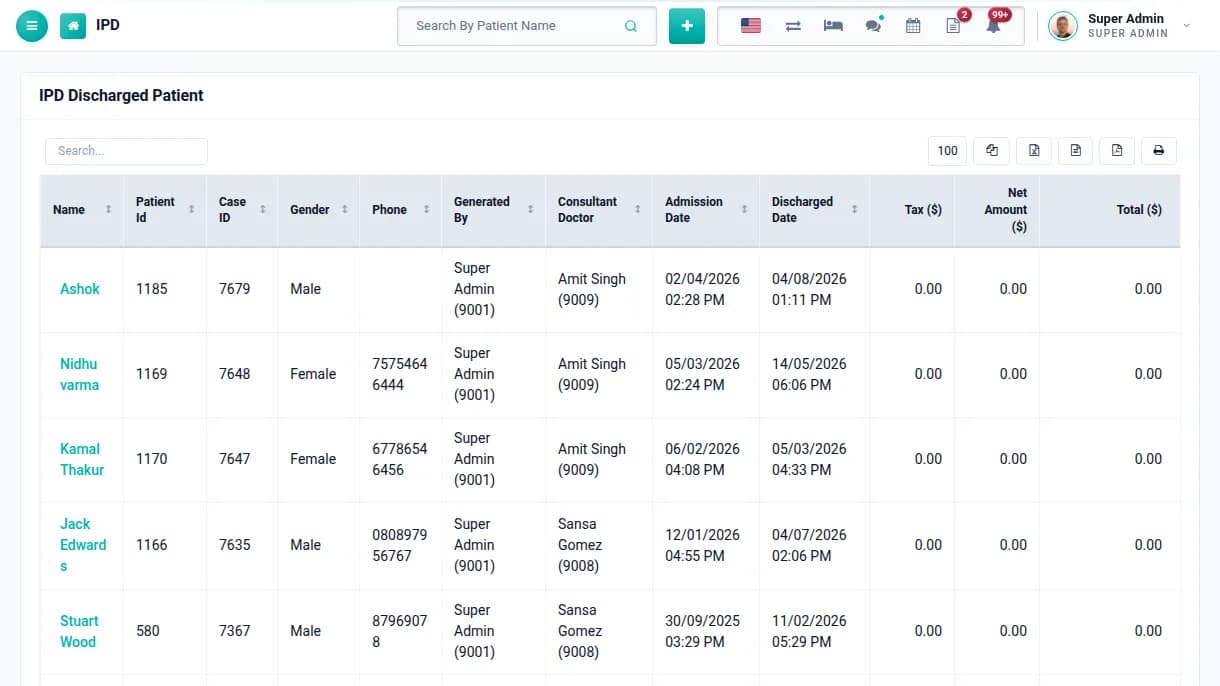
Discharge & follow up
Discharge the patient with the bill settled and a discharge card printed. Discharged records stay searchable, and the patient is notified automatically.
Discharge card with your print header
Discharged patient list and report
Discharge notification by email or SMS
Phase 06
Diagnostics, pharmacy & blood bank
Steps 32–35
STEP 325 min a test
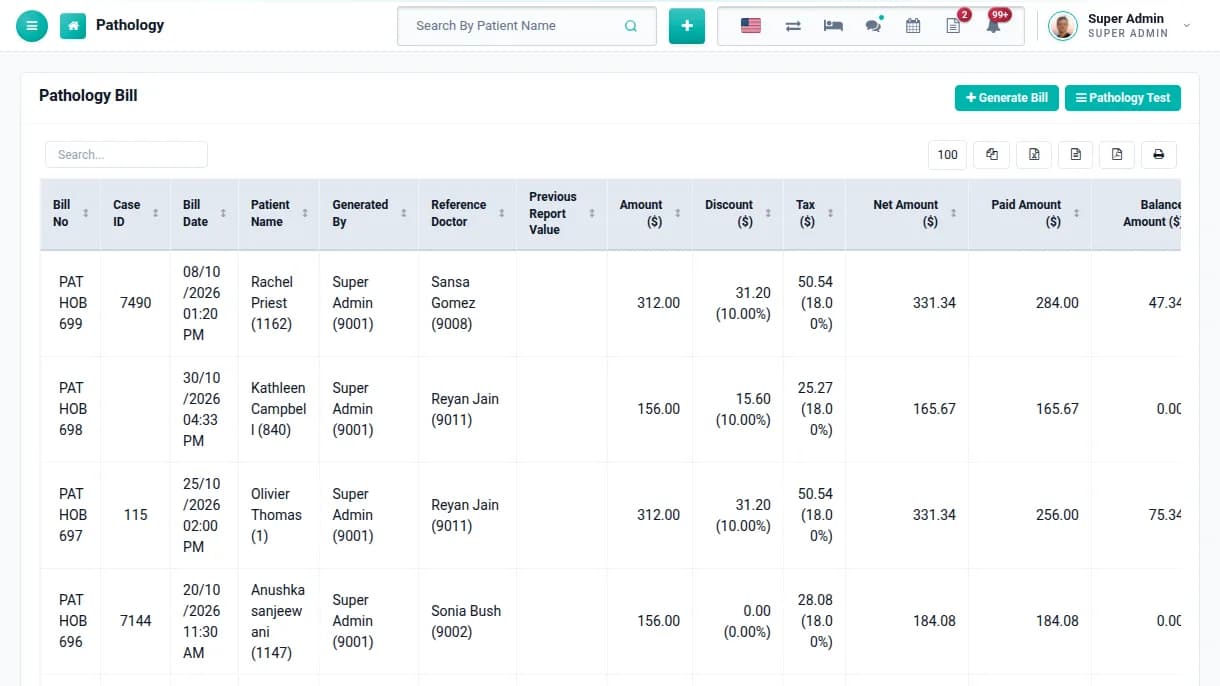
Run pathology & radiology
Enter the prescription number and the prescribed tests fill in by themselves. Collect the sample, enter results against the reference ranges and print the report.
Tests fetched from the doctor's prescription
Sample collection person and date
Patients see reports in their panel
STEP 331 min a bill
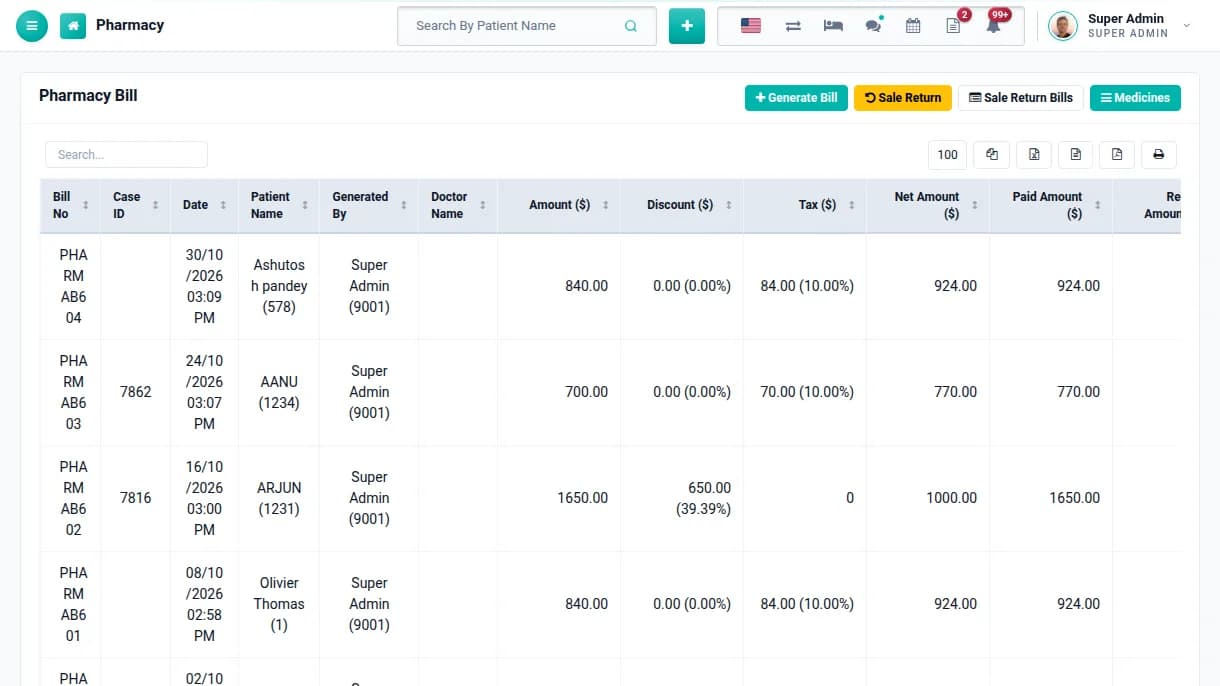
Sell from the pharmacy
Bill medicines against a prescription or a walk-in customer. Stock goes down with every sale, and colour-coded rows show what is below reorder level, nearly out or out of stock.
Purchase, sale and sale return
Batch and expiry on every stock entry
Expiry and stock reports
STEP 345 minutes
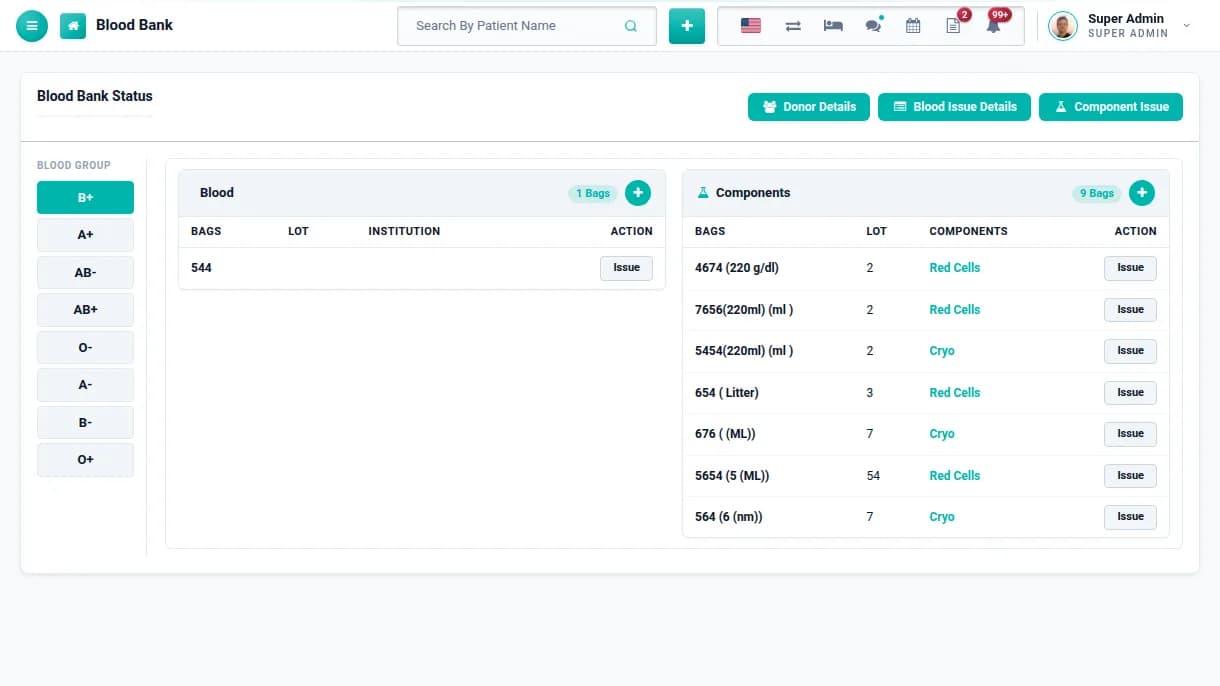
Manage the blood bank
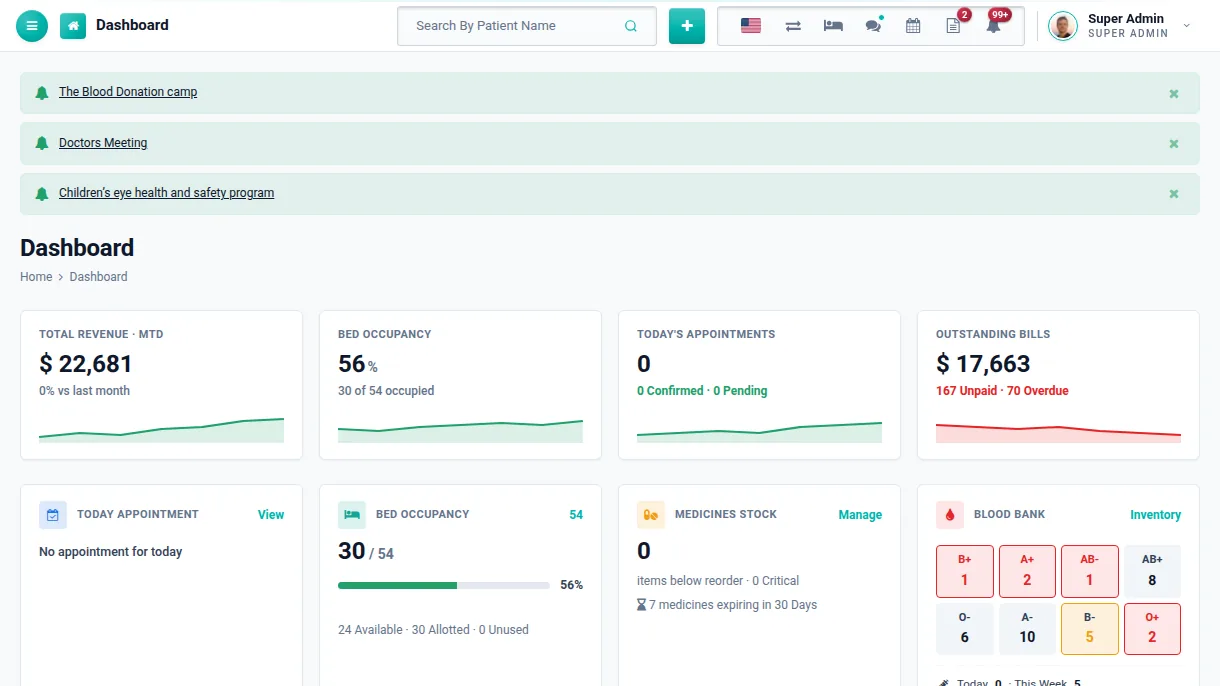
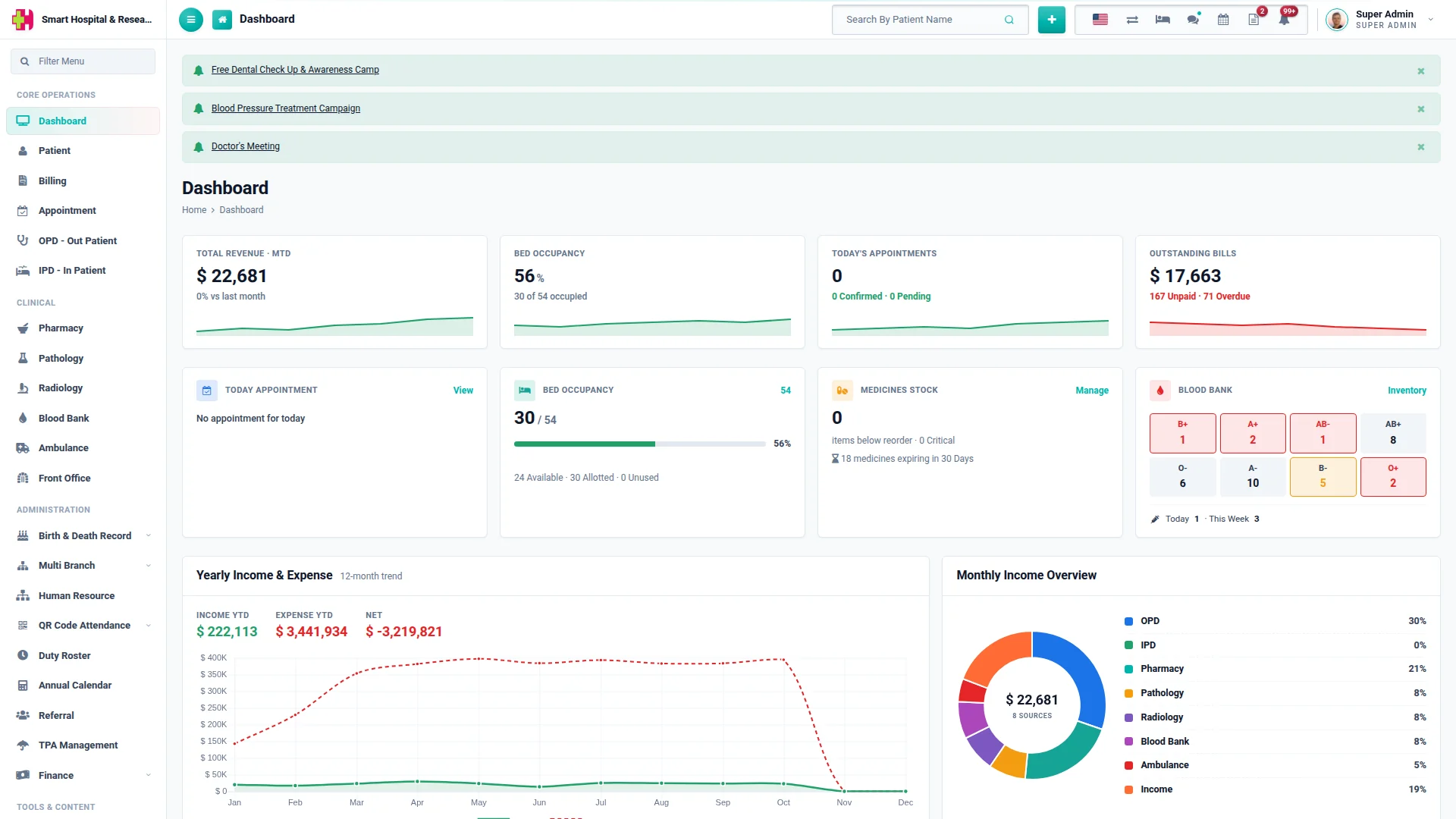
Keep blood and component stock by group, record donors, and issue bags to patients with charges. The dashboard shows the stock of every blood group at a glance.
Stock per blood group and component
Donor details and donation history
Blood and component issue bills
STEP 352 minutes
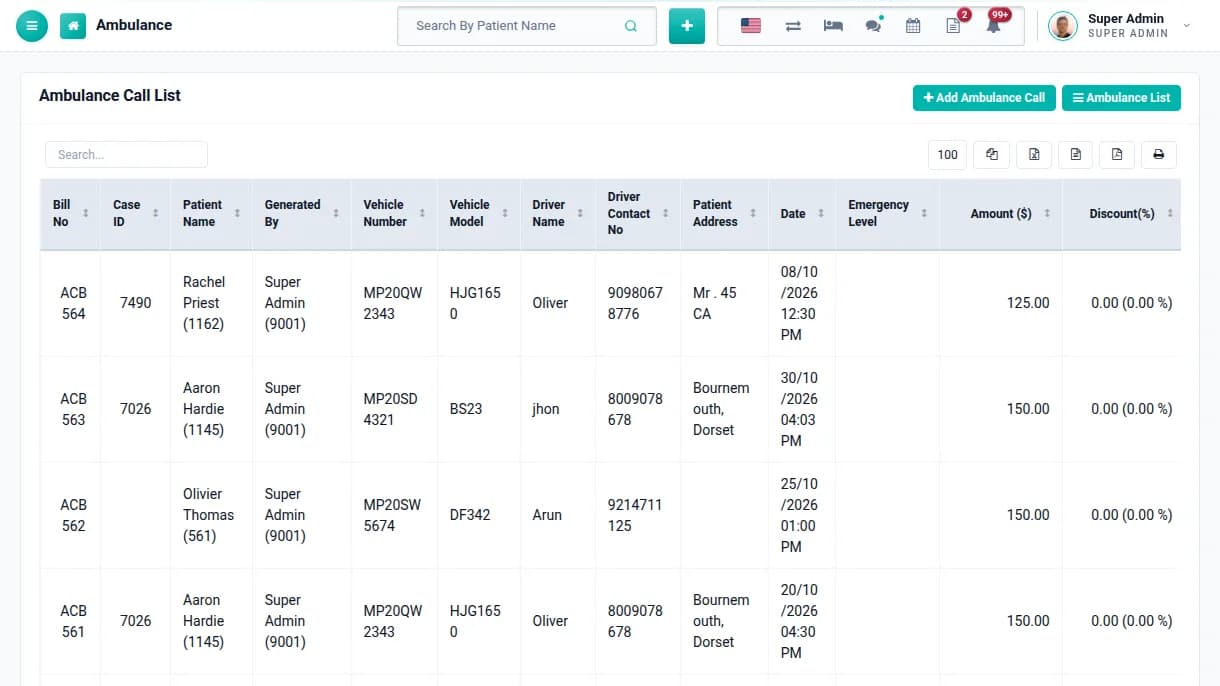
Dispatch ambulances
Keep your fleet with vehicle, driver and licence details, and log every ambulance call against the patient with the charge. The bill joins the patient's case.
Owned and contracted vehicles
Calls billed to the patient
Ambulance report
Phase 07
Billing, finance & staff
Steps 36–40
STEP 362 minutes
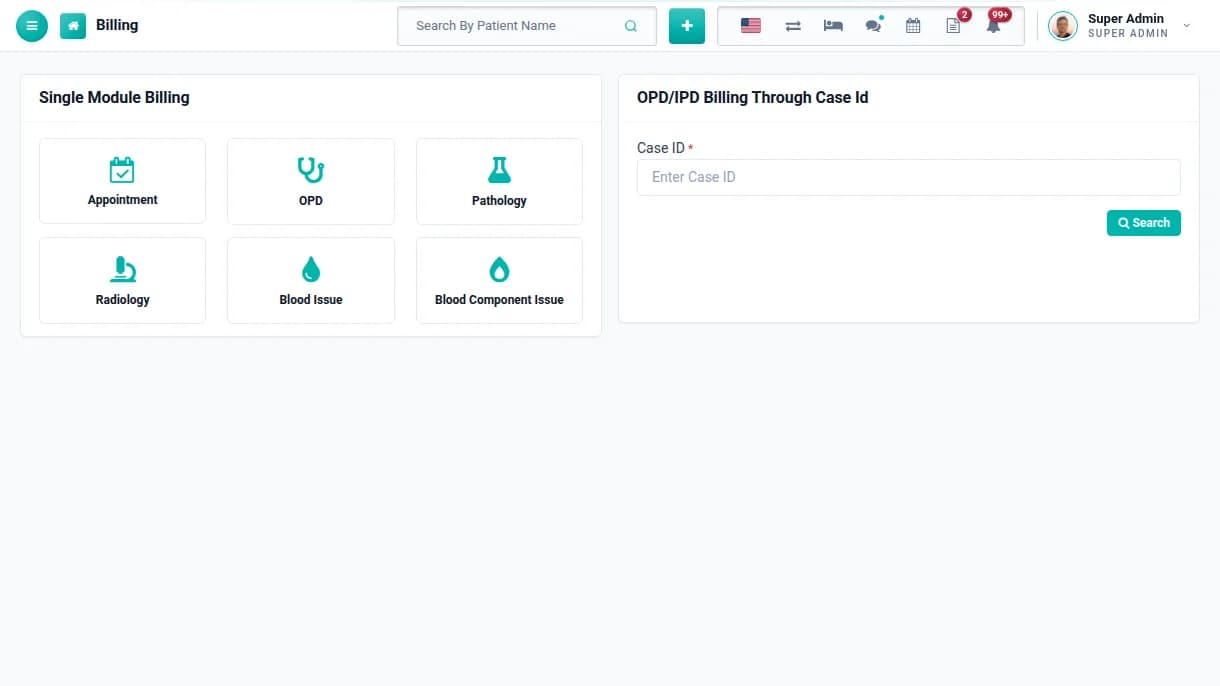
One bill by case ID
Enter the patient's case ID to see every charge from OPD, IPD, pharmacy, pathology, radiology, blood bank and ambulance. Take payments and print one combined bill.
All departments on a single bill
Part payments and balance tracking
Single-module billing for quick visits
STEP 3710 minutes
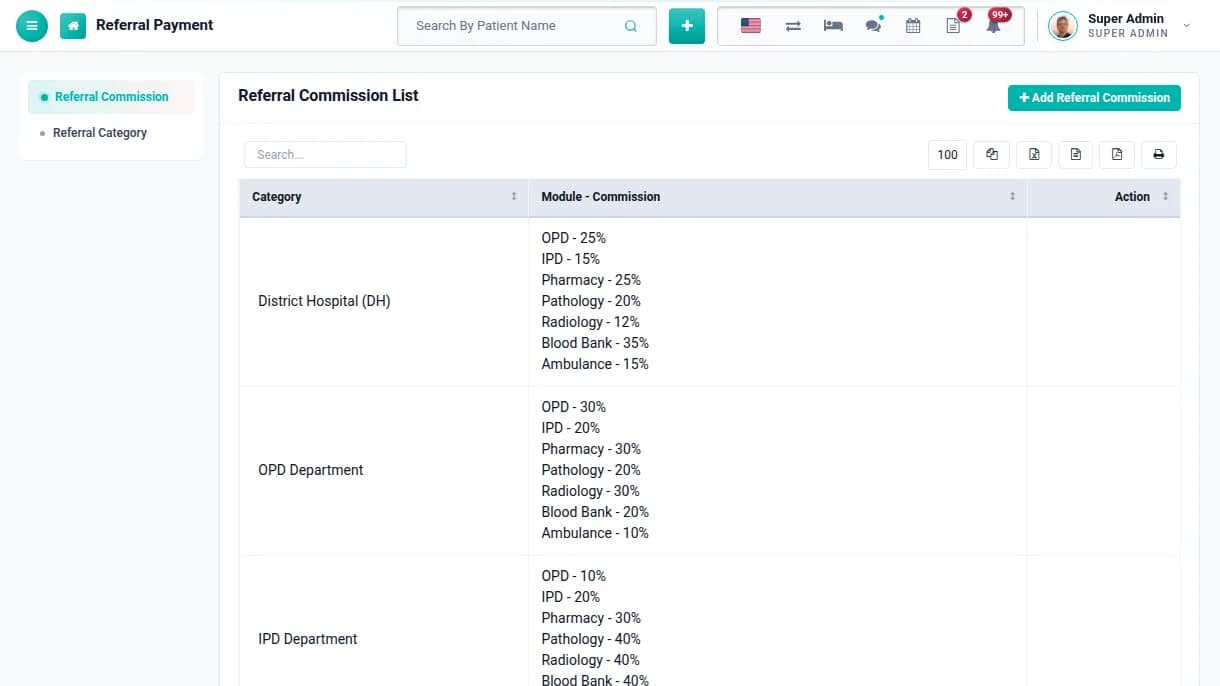
Track referrals
Set commission rates per module for each referral category, and record payments to referring doctors. Payouts are calculated from the bill amounts.
Commission rates per module
Referral payments with bill numbers
Referral report
STEP 38Daily
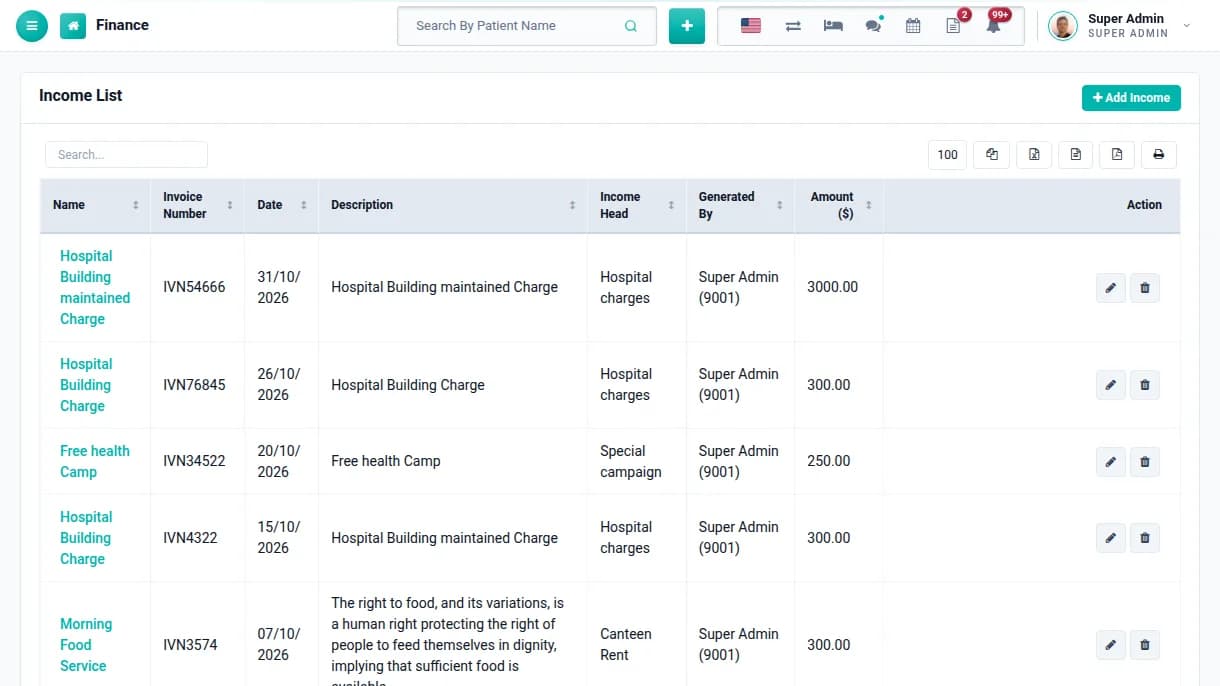
Record income & expenses
Record non-patient income and daily expenses under your own heads, such as rent, electricity and canteen. The finance reports then show the full picture.
Income and expense heads
Invoice number and attachments
Income, expense and balance reports
STEP 39Monthly
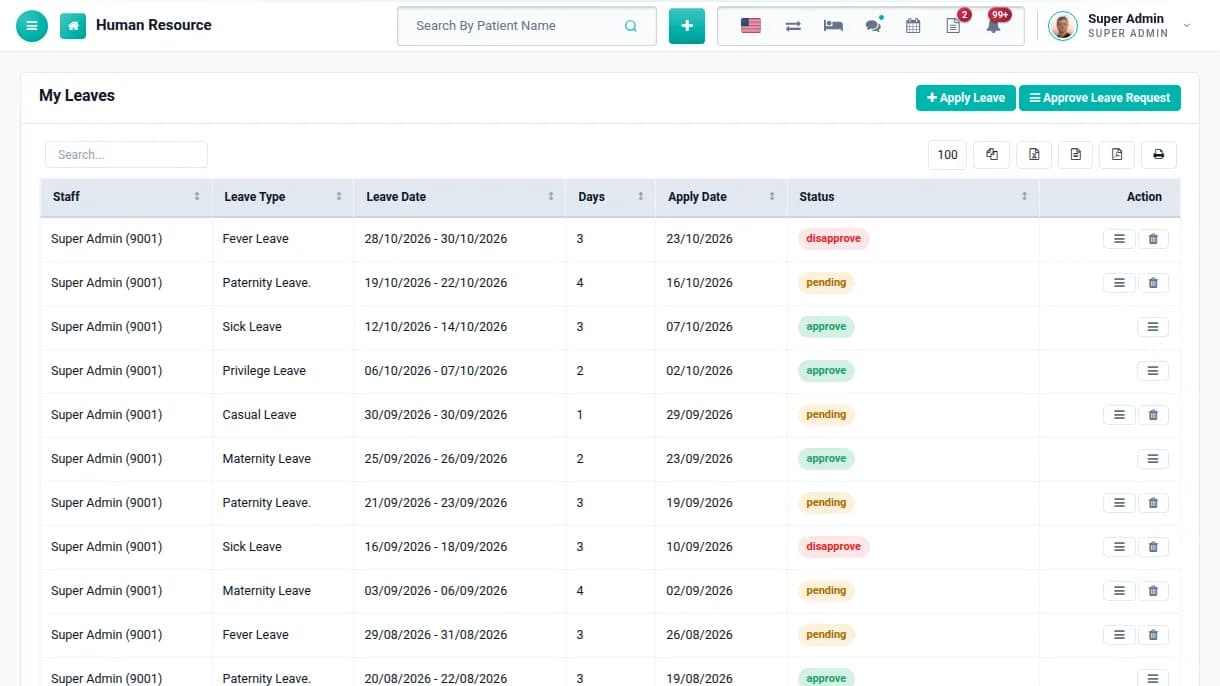
Run HR, leave & payroll
Mark staff attendance, approve leave requests and generate monthly payroll with payslips. Staff apply for leave from their own login.
Leave types, requests and approvals
Staff attendance and payroll with payslips
Payroll and attendance reports
STEP 40Any time
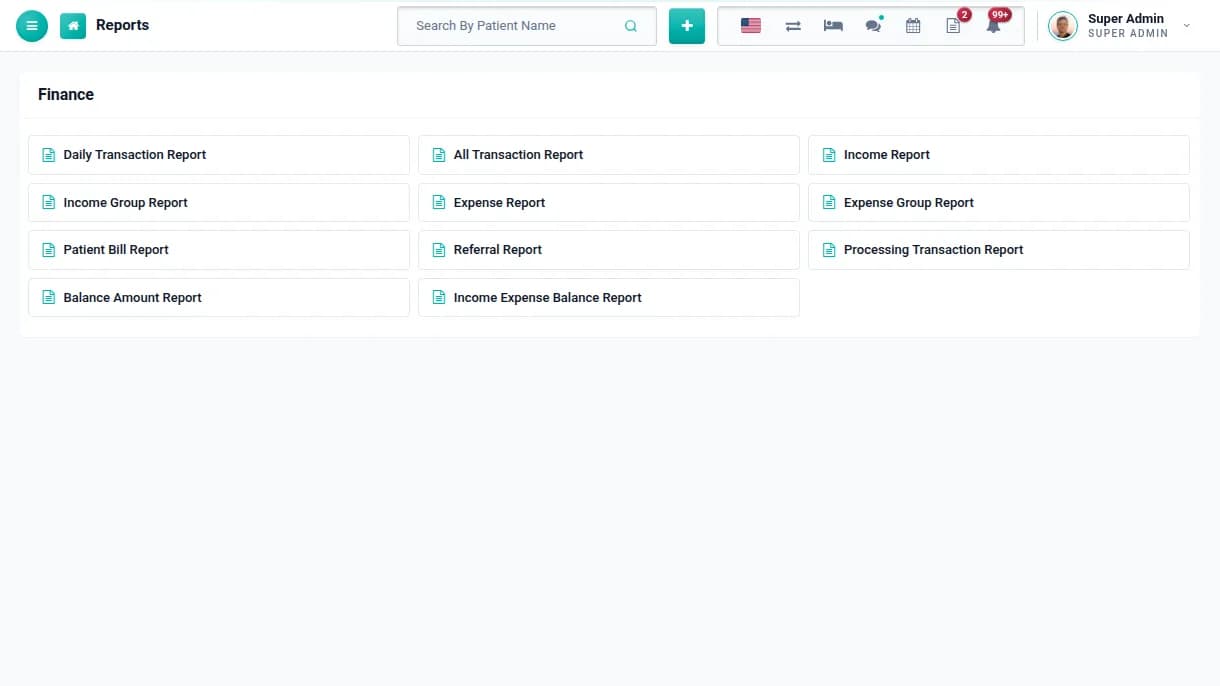
Read the reports
Open more than 50 reports covering daily transactions, OPD, IPD, pharmacy, labs, blood bank, TPA, staff and user activity, and export any of them to Excel, CSV or PDF.
Daily transaction and collection reports
OPD and IPD balance reports
Audit trail and user log
Phase 08
Patients, website & growth
Steps 41–46
STEP 41Ongoing
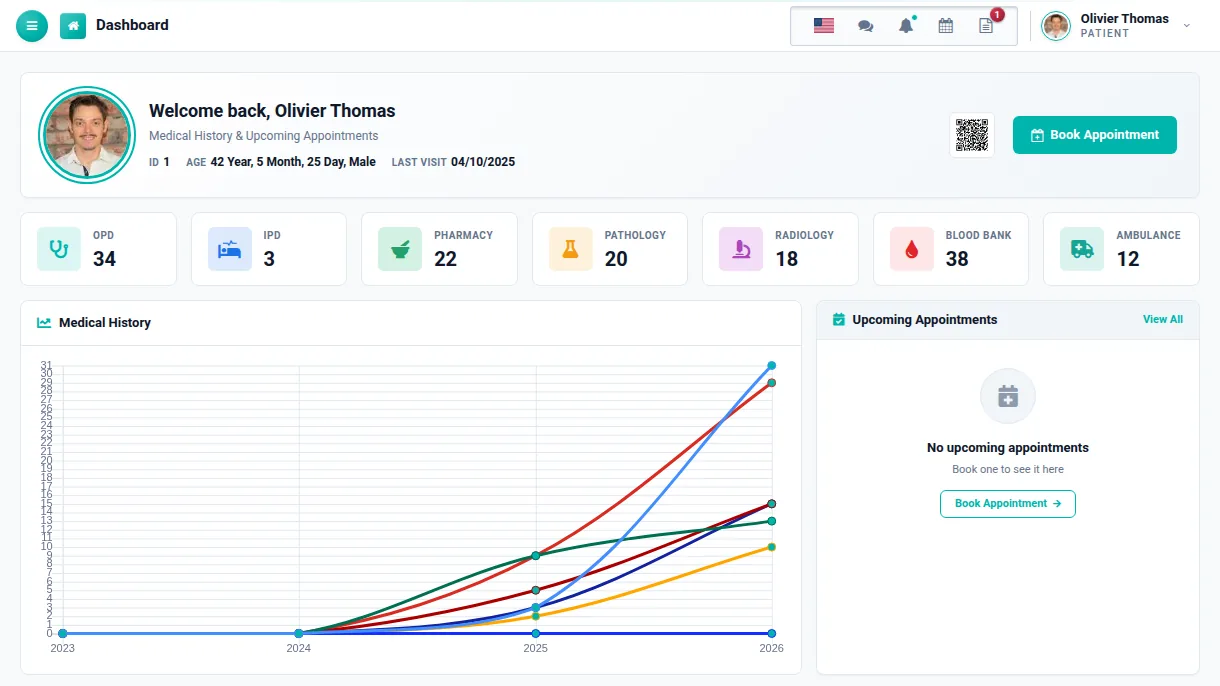
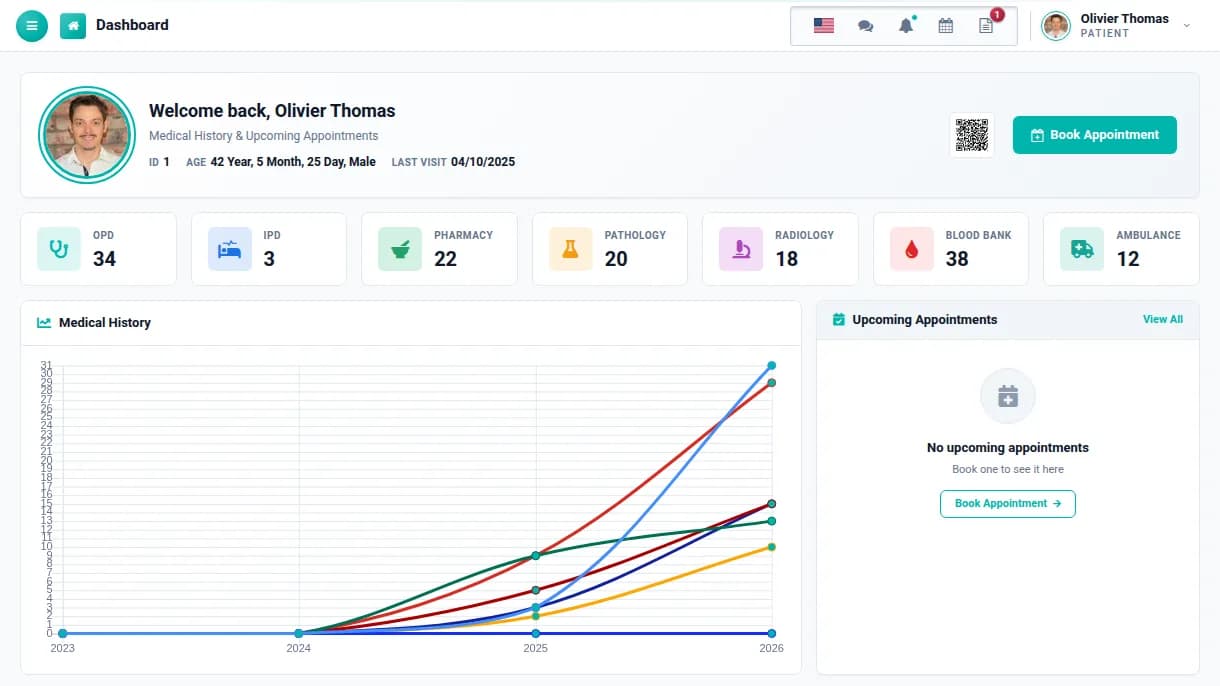
Give patients their own portal
Patients log in to see visits, admissions, prescriptions, lab reports and bills, pay online, book appointments and join video consultations, which means fewer calls to the front desk.
Bills and reports in one place
Online payment and appointment booking
Chat with hospital staff
STEP 422 minutes
Message staff & patients
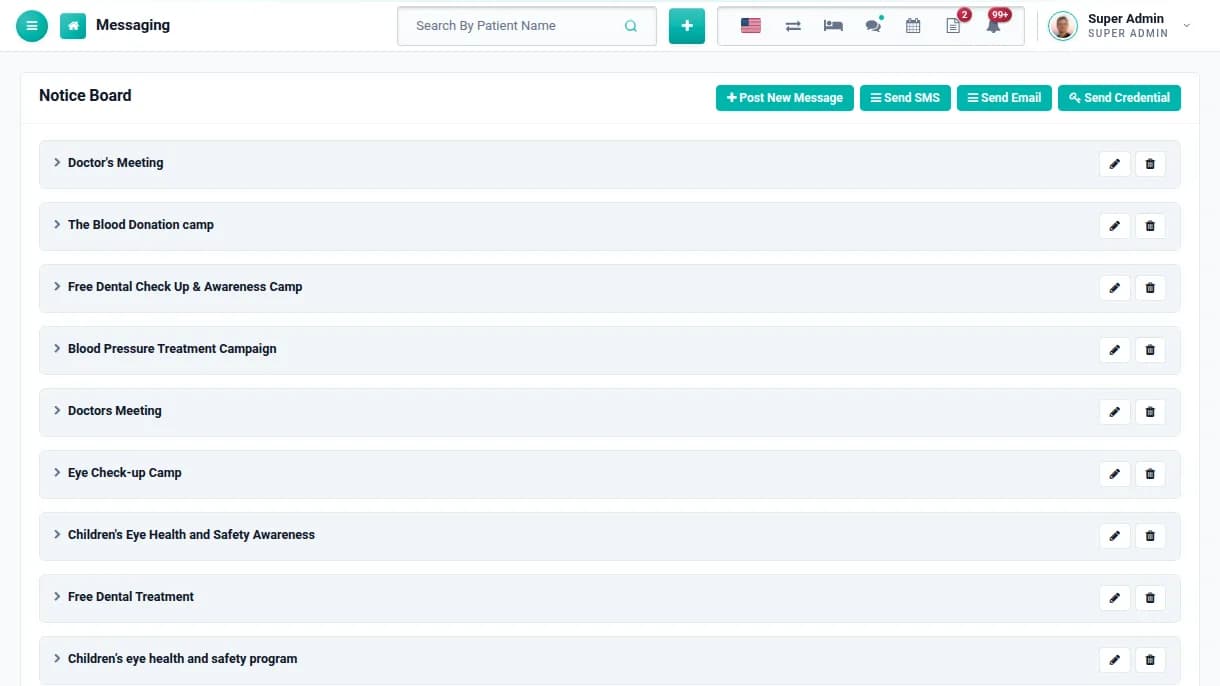
Post notices, send email and SMS to groups or individuals, and send login details to patients in bulk. Events and tasks sit on a shared calendar and to-do list.
Notice board for staff and patients
Group or individual email and SMS
Annual calendar and to-do list
STEP 4320 minutes
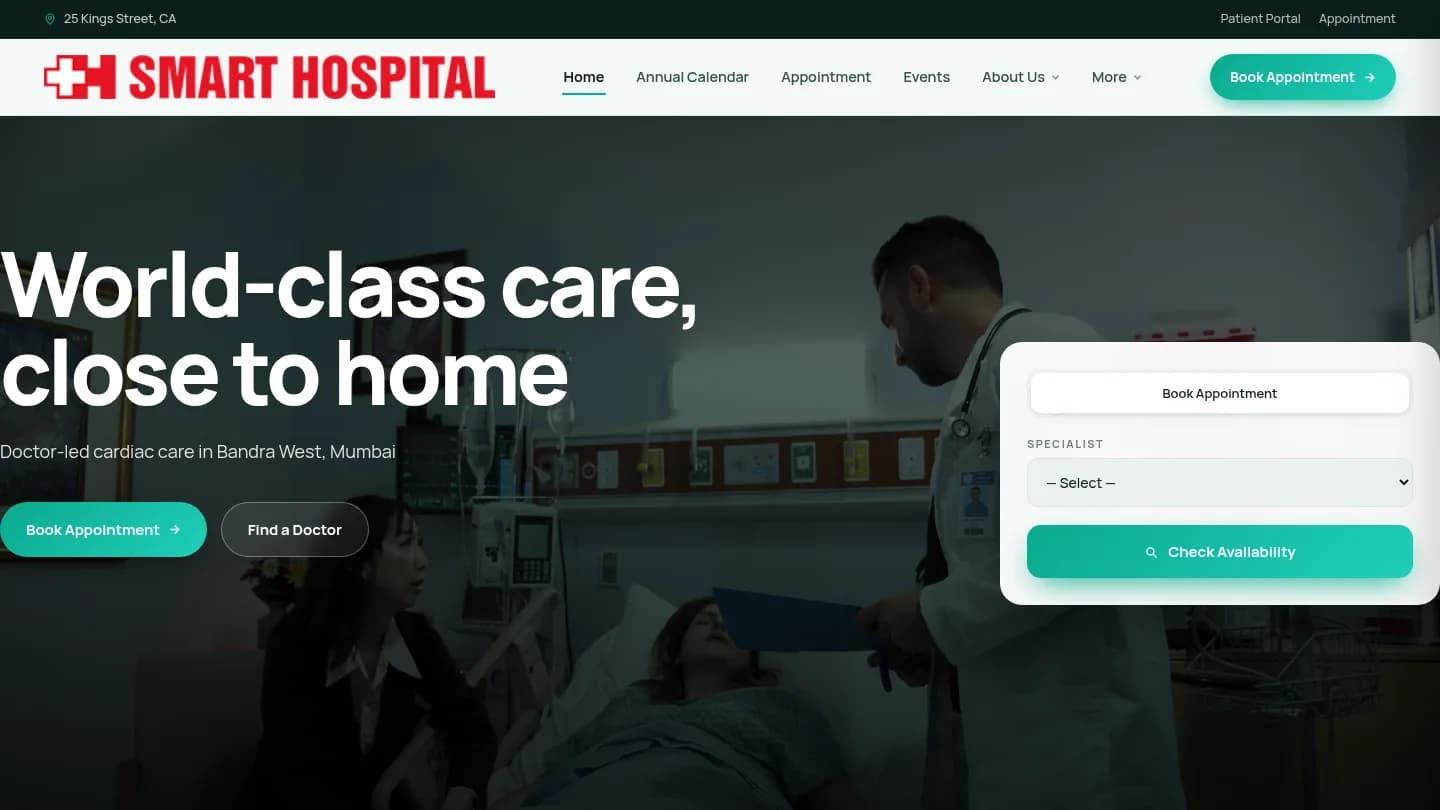
Publish your hospital website
Use the built-in Front CMS to manage pages, menus, banners, events, gallery and news. The website links to online appointments, so it brings in patients.
Pages, menus, events, news and gallery
Book Appointment on every page
Annual calendar on the website
STEP 445 minutes
Issue records & certificates
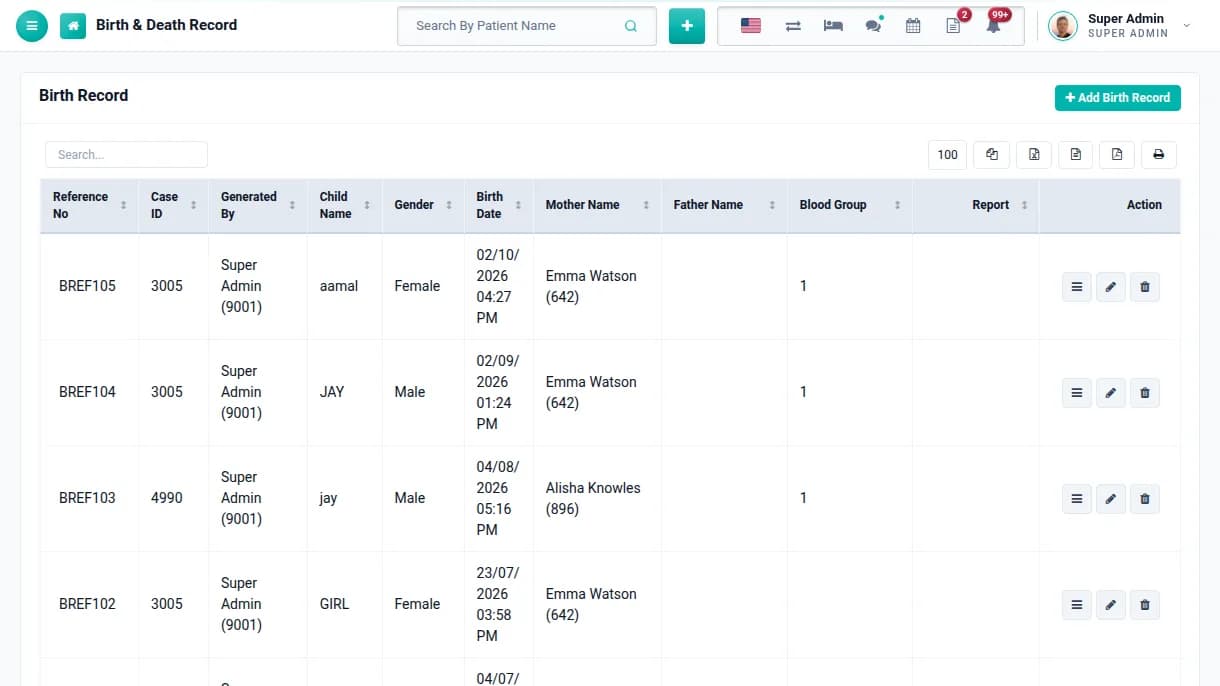
Record births and deaths with parents, case ID and documents, design patient and staff ID cards, and print patient certificates for the file.
Birth and death records with reports
Patient and staff ID cards
Certificate templates you design
STEP 45Scheduled
Back up your data
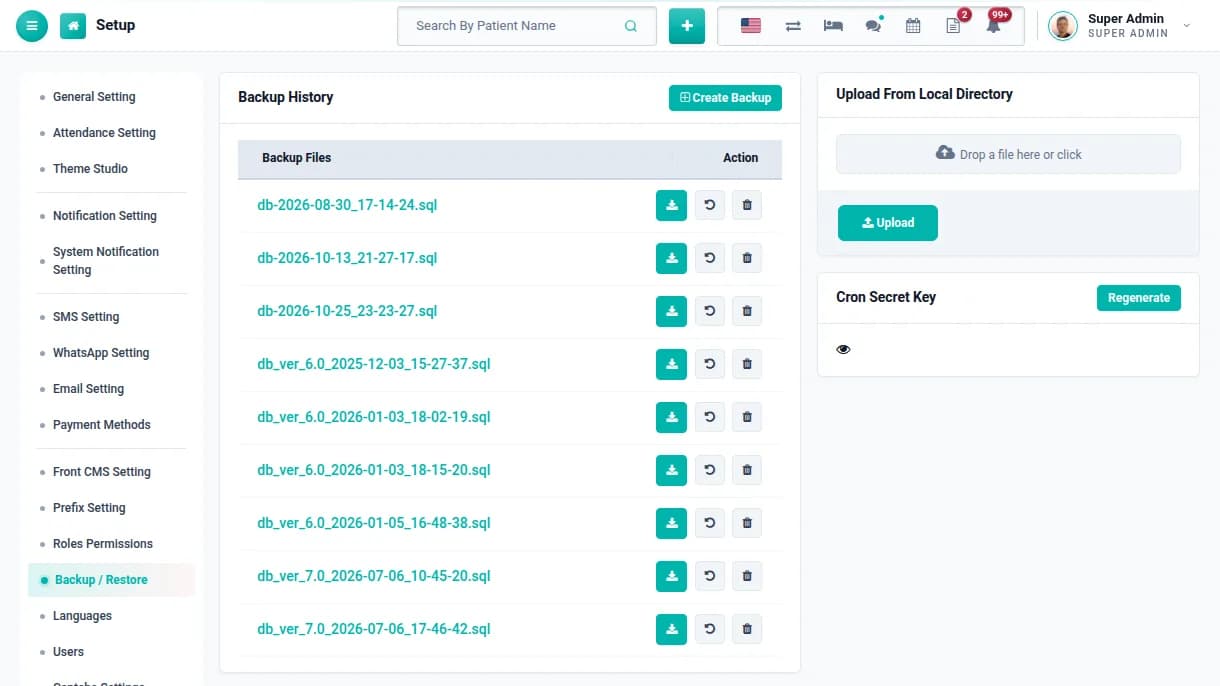
Create a backup in one click or on a schedule, keep the history and restore any of them. You can also upload a backup from another machine.
Backup history with download and restore
Scheduled backups with a secret key
Your data stays on your own server
STEP 46One click
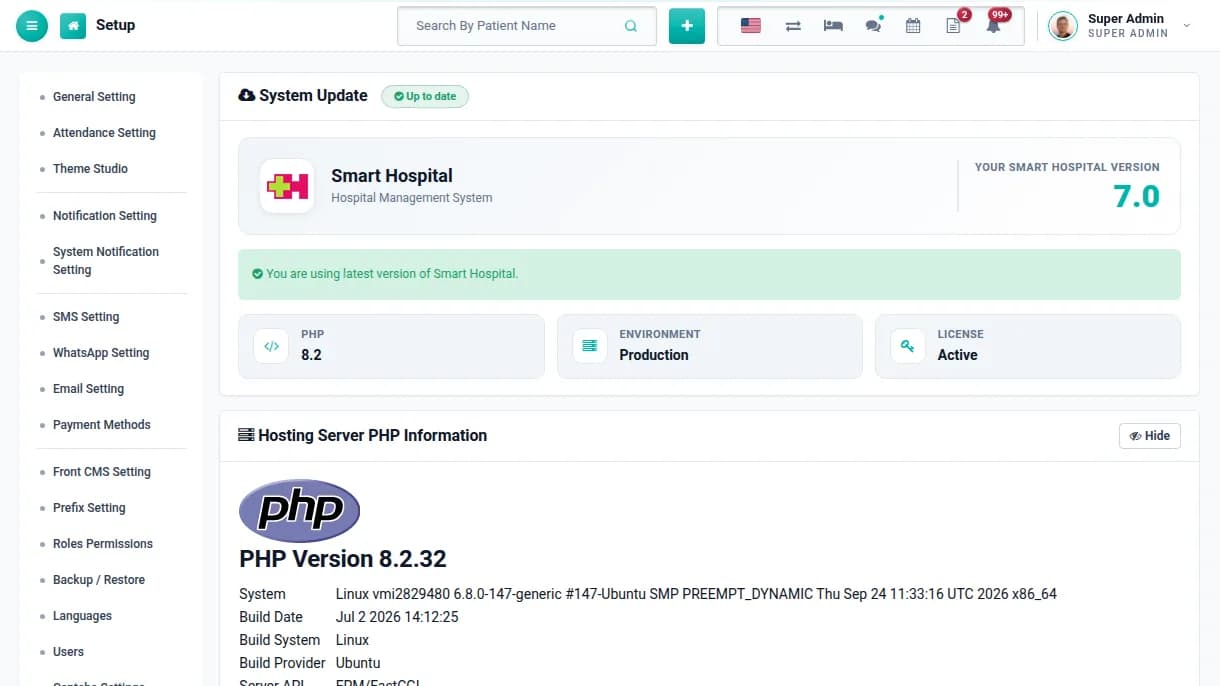
Stay up to date
When a new Smart Hospital version is released, your dashboard tells you. Updates are included for the life of the licence, and your data and settings are kept.
Update notice in your dashboard
Data and settings preserved on update
New features release after release
That’s the whole journey — you’re up and running.
Features
Twelve core modules, one hospital system.
Everything below ships in the box with your licence. Open any module to see what it covers. Operation theatre, inventory, birth and death records, certificates, messaging, a download centre and a built-in hospital website come in the same box.
Pricing
Plans that scale with you.
Prices shown in your local currency. Pick a license and a support term — add modules on the next step.
Every license type and support term side by side, with price and what each includes.
Compare every planOne-time price per license. Support and updates start on the day you buy.
Single Domain License
Multi Domains License
Extended License
Most Popular6 Months support$59per license
12 Months support$69per license
6 Months support$199per license
Best Value12 Months support$249per license
6 Months support$999per license
12 Months support$1,099per license
Support includedHelp from our team, by ticket
6 Months
12 Months
6 Months
12 Months
6 Months
12 Months
Live domainsInstalled at the same time
1
1
5
5
Unlimited
Unlimited
License validity
Lifetime
Lifetime
Lifetime
Lifetime
Lifetime
Lifetime
Product updatesNew versions as they ship
Lifetime
Lifetime
Lifetime
Lifetime
Lifetime
Lifetime
Add-ons
Extend Smart Hospital as you grow.
Every add-on is licensed separately and installs into your existing setup. Buy one now or later, nothing has to be decided up front.
Extensions
Apps that add new dimension in Smart Hospital
Separate products from the same family, built to work alongside it.
FAQ
Questions, answered.
What hospitals and clinics usually ask us before they buy. If your question is not here, our team is a chat or a ticket away.
Choose by how many live installations you need. The Single Domain licence runs Smart Hospital for one hospital on one domain. Multi Domains covers up to five installations, useful for a hospital group or an agency serving several clients. Extended allows unlimited installations within your organisation. All three include the same modules.
It is a one-time payment. The licence never expires, and there is no yearly fee to keep the software running. The price includes 6 or 12 months of support, whichever you pick at checkout. You can renew support later only if you want continued help from our team.
No. One licence covers the whole hospital, with no per-patient, per-bed, per-doctor or per-login fees. Your installation can hold as many patients, staff, beds and records as your server can handle.
Yes. Smart Hospital runs in multi-speciality hospitals, nursing homes, clinics and diagnostic centres. You can switch off modules you do not use, such as blood bank or IPD, from the Modules setting, so staff only see what your facility actually runs.
Yes. There are nine built-in roles: Super Admin, Admin, Doctor, Nurse, Pharmacist, Pathologist, Radiologist, Accountant and Receptionist. You can also create your own. Each role sees only what you allow. Patients get their own panel for visits, reports, bills, appointments and online payment.
Your installation keeps working exactly as before, with all data and settings. You keep receiving new versions, because product updates are included for the life of the licence. What ends is help by ticket from our team. Renew support from your dashboard whenever you need it again.
When a new version is released, your dashboard tells you and you download it from there. Updates are included for the life of the licence. Patient records, bills and settings are preserved. If you have edited the core code, keep a copy of your changes, because updated files replace the originals.
Support is by ticket from your customer dashboard, and we usually reply within one business day. It covers installation and activation problems, bugs, and how-to questions about any feature. Custom code changes and problems caused by your hosting or third-party software are outside its scope.
Immediately. Your licence key and invoice are emailed the moment the payment is confirmed. They also appear in your customer dashboard, where you can download the latest version, register your domain and manage your installations at any time.
Smart Hospital runs on a standard PHP and MySQL stack, so most cPanel hosting, any VPS or a cloud server will work. Linux with Apache is recommended. Check the exact PHP and MySQL versions in the server requirements guide before you buy, or ask our team to check your hosting for you.
You do. Smart Hospital runs on your own server, so patient records never pass through ours. Every user gets only the permissions of their role, the audit trail and user log record who did what, and the Two Factor Authentication add-on adds a phone code after the password. The backup tool keeps a history and can run on a schedule.
Yes. Install Smart Hospital on a local XAMPP or WAMP server with a static IP and use it from every computer on your hospital network. Without internet, email, SMS, online payments and video consultations will not work, but everything else does. Installations on localhost or a private network address do not use up a licence activation.
Installation is browser-based. Upload the files, create an empty MySQL database, open the installer, enter the database details and create your Super Admin account. Then register your licence from the dashboard. No command line is needed. If you would rather not do it yourself, contact our team before or after purchase.
Yes, without buying again. Move your files and database, update the base URL and database details, release the old domain from your customer dashboard and register the new one. Every patient, bill and report moves with the database.
Yes. Patients and medicines can be imported in bulk from CSV files, and staff can be imported from a spreadsheet. Charges, tests, beds and doctors' shifts are quick to set up in the admin panel. Talk to our team if you are moving from another hospital system.
Yes. Every licence includes the full source code, and you may customise, re-theme and white-label Smart Hospital for your own installations. Custom fields, roles and permissions, notification templates, print headers, ID cards and certificates are configurable without code. Changes you make to the core code are outside the scope of support.
Yes. Smart Hospital is multi-language, including right-to-left languages, and multi-currency, so you can show bills in your own currency. Each user can switch the panel language for themselves. ICD-10 codes are built in for diagnoses.
Yes. Add each TPA or insurance company with its agreed rate for every charge. When you choose a patient's TPA in OPD, IPD or the labs, the agreed rate applies automatically, and the TPA report lists the charges for your claims.
Yes. A built-in website comes with every licence, with pages, menus, banners, events, gallery and news that you manage from the admin panel. Patients book appointments from the website against real doctor slots and can pay online to confirm.
Yes. Patients pay appointment, OPD, IPD, pharmacy and lab bills from the patient panel, and the payment lands on their bill. More than 20 gateways are built in, including Razorpay, Paytm, PayU, CCAvenue, Instamojo, Stripe, PayPal, Paystack and Flutterwave. You connect your own merchant account, so the money goes straight to the hospital.
Yes. Registration, discharge, appointment, live consultation and login messages go out automatically by email and SMS, and you can send notices to groups or individuals. Indian gateways are supported with DLT template IDs. WhatsApp through Meta or Twilio is available as an add-on.
Both are available as separate extensions. The Android App connects to your own installation, and the Biometric Attendance App brings punches from biometric devices into staff attendance. Without hardware, the QR Code Attendance add-on lets staff scan their ID card with a phone or webcam. The web panels also work in any phone browser.
Add-ons such as Multi Branch, WhatsApp Messaging, Survey Form, QR Code Attendance and Two Factor Authentication are licensed separately. Buy them with your licence or at any time later, and they install into your existing setup without affecting your data.
Smart Hospital manages one hospital per installation. For a group, install it for each branch, which a Multi Domains or Extended licence covers, and add the Multi Branch add-on to manage every branch from one Super Admin with combined reports.
Yes. The live demo has one-click logins for every staff role and a patient login, and you can book a guided demo with our team. Because the software is downloadable, sales are generally final. A refund is possible within 7 days if the licence has not been activated, or if a verified technical problem cannot be fixed. The Refund Policy has the full conditions.
Ready to get started with Smart Hospital?
Buy a licence, download instantly, and get updates for the life of your support period.
We use cookies to keep the site running, understand how it is used, and (with your permission) personalise content. You can accept all, reject non-essential cookies, or choose which categories to allow.